


Advertising on Google Maps, promoting a location or a Google My Business profile - these are all part of the specialized focus of local campaigns in Google Ads.
A local campaign is designed to promote an offline location through Google My Business, with the goal of driving visits and offline sales using ads across various Google platforms.
That’s right, you can boost activity at an offline location—whether it’s a store, auto repair shop, or hair salon - by setting a goal to improve foot traffic at that point. Let’s dive into the details.
Ad placement options:
👉 Search;
👉 Maps;
👉 YouTube;
👉 Display network.
Key requirement:
👉 You must specify the address of the location you want to promote.
Targeting and display algorithm:
👉 Ads are shown in Google Maps when users are near your location.
* This is why there’s no need to set a specific location in these campaigns.

Local campaigns on Google Maps:
👉 Ads also appear in search, display network, and YouTube based on machine learning algorithms and audience data from your account, maximizing the chance of a target action.
Local campaigns in search:

You can also specify a primary goal for the campaign — whether that’s profile visits, click-to-call, or driving directions:
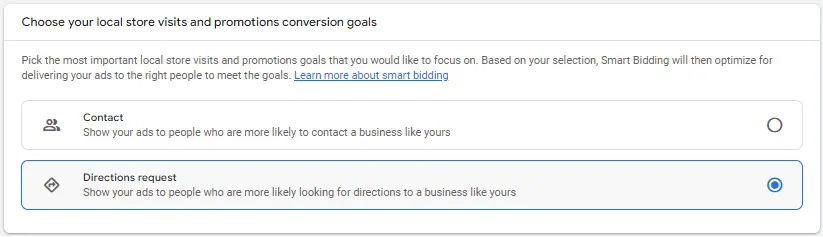
When creating a local campaign, it's also worth considering that new user conversions from business cards will be automatically created in the account. Namely:
Local actions ➔ Clicks to Call - click on the phone;
Local actions ➔ Directions - set a route;
Local actions ➔ Other engagements - other actions in the location (sharing, viewing photos, videos, news).
These are the key points of local campaigns.
Overall, local campaigns are a great way to give your business an additional boost in popularity and traffic, especially if you have an offline presence.
Since 2022, the standalone type of local campaigns in Google Ads no longer exists, but the principles of how they are shown remain the same. Today, local campaigns are launched through Performance Max campaigns with specific modifications, which you can see in more detail in the video:
 Order a service