


When you're managing just a small account, you probably never even think about automation. It's easy enough to log in once a day, check all the data, and handle everything manually. But when you've got, say, more than 10 accounts, each with 20 ad campaigns, it starts to get pretty challenging. That's when you begin to consider automating your contextual advertising. In this article, we'll chat about ways to streamline your work with Google Ads.
➊ Rules
- A built-in feature in Google Ads that lets you automate a wide range of functions.
- Rules are created separately at the levels of campaigns, ad groups, or keywords.
- They're set up to pause or activate items, notify you about changes, adjust bids, and so on.
- You can schedule rules to run daily or just once at a specific time.
How to set up a rule in Google Ads
- Select the objects you need (campaigns, groups, keywords).
- Create an automated rule.
- Choose the type of rule;
- Set the conditions for the rule to execute.
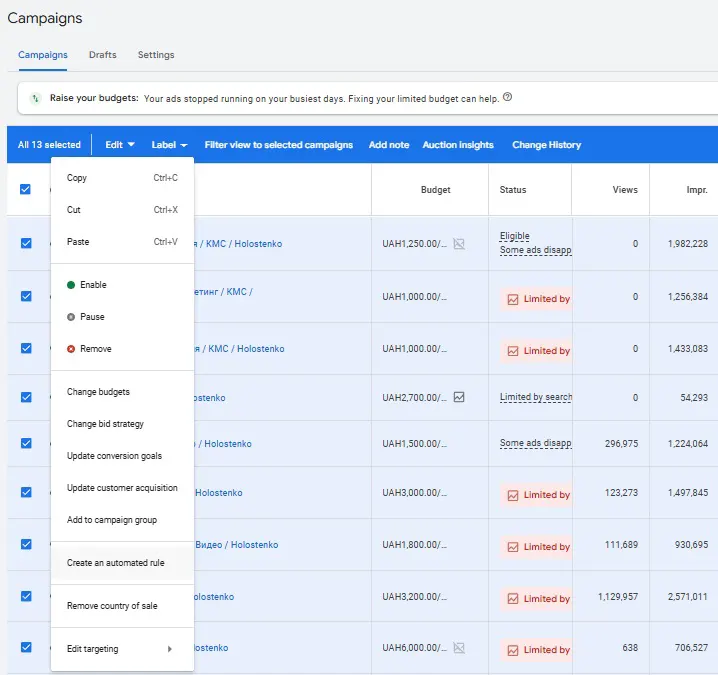

From there, it's all up to your imagination and what you actually need.
Where to find more rules?
- Go to Tools → Rules.
- You'll see the biggest list of automation rules that Google Ads offers, and it looks something like this:

But after working with rules for a while, we ran into limitations with how often they can run and the specifics of their variables. That's why it makes sense to move on to the next point — Google Ads Scripts.
➋ Google Ads Scripts
Managing Google Ads functions through open JavaScript code gives you more possibilities than standard rules. Plus, scripts let you control execution modes more flexibly than what's typically available with rules. You can find more detailed info about scripts in this specialized article.

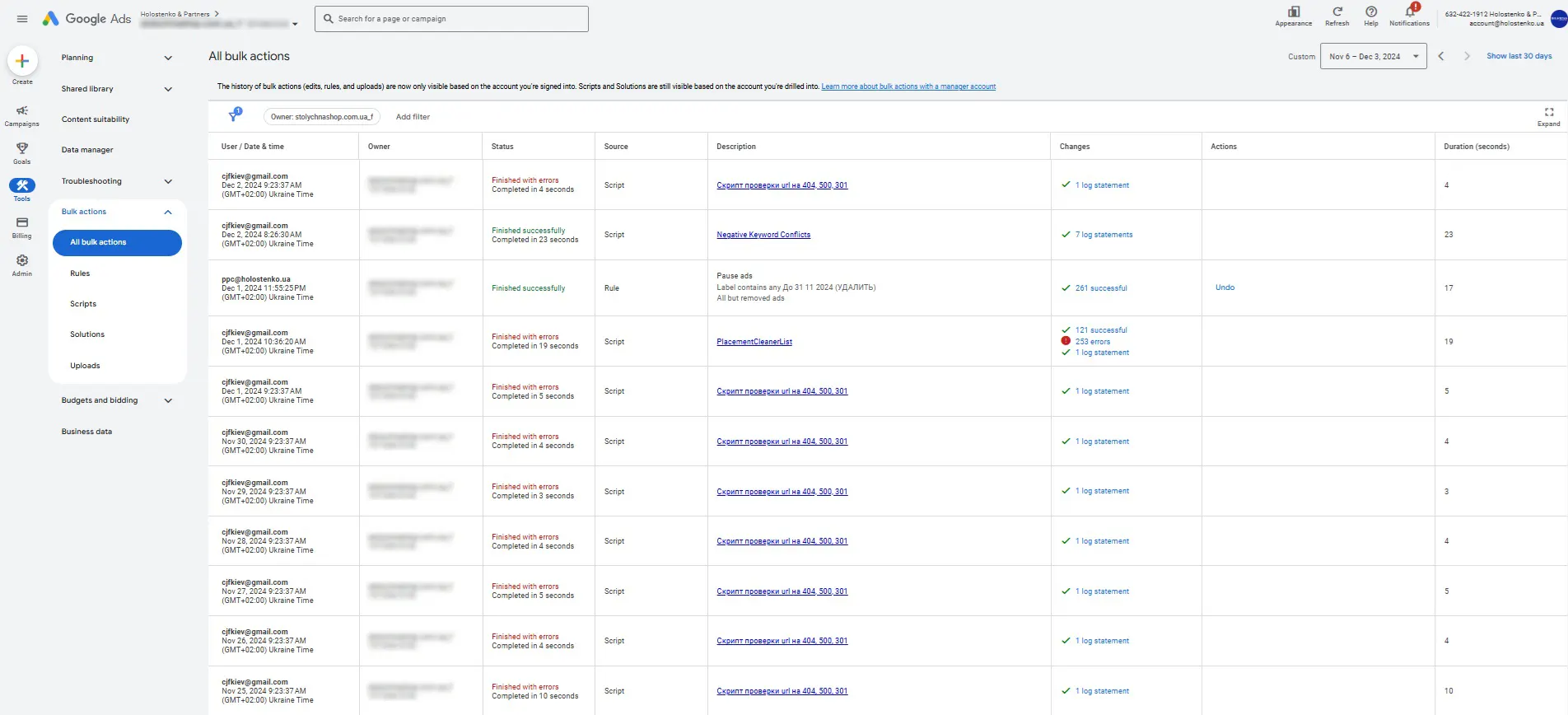
➌ Bulk uploads
In the Google Ads interface, you can update account information by uploading Excel files.
➍ Automated reports
The ability to generate template reports with just one click. This is especially handy for large accounts that need regular reporting.

➎ Google Ads Editor
Google Ads offers an offline tool that lets you perform system operations—the Google Editor program.

From mass text replacements to uploading campaigns, it's got you covered. You can download Google Editor here.
➏ Feeds
Synchronizing offline data uploads in a table with how ads are displayed. This can include phone numbers, sitelinks, promotions, structured snippets, and location extensions.
In our experience, feeds helped us cut down 48 ad campaigns to just 4 by properly organizing work with locations.

In a nutshell, that's what we've encountered in our work. There are a few more elements of automating contextual advertising, but those are best discussed one-on-one with interested folks.
 Order a service