


In the fall of 2020, Google introduced a new analytics tool - Google Analytics 4. The news caused a certain furor, attracted the attention of marketers, advertising specialists, website and application developers, as many promises were made and new professional tools appeared.
The new Google Analytics 4 (GA 4) counter was installed in parallel with Universal, the fundamental difference from which is the model of accounting and processing of event-driven data.
The event-driven data model is a set of algorithms for accounting for events in Google Analytics.
In short, Google updated the algorithms for accounting for events by releasing the new Google Analytics 4, which was not feasible in Universal Analytics. The service was in beta for a long time, and was released for full use, frankly speaking, unfinished, but nothing can be done, you have to work with what you have.
So, a little theory.
Reasons for the emergence of Google Analytics 4
The most important and fundamental reason for the emergence of GA 4 is the active emergence of single-page sites and applications, which made it impossible to adequately analyze events and sessions using old analytics.
Impossibility of normal analysis of single-page sites.
We think you have noticed the bounce rate on a single-page site and will understand what we are talking about.
If previously sites were multi-page and sessions were recorded with each visit to the page with a 30-minute break in visits, now for single-page sites the concept of page views has changed significantly.
The main solution of Google Analytics developers 4
Development of a flexible system of user communication events with the site, which replaced the fundamental concept - viewing forms a session.
Once again. If previously viewing was the main condition for forming a session, now the developers have switched to a different logic - a flexible system of accounting for events.
Perhaps, this sounds difficult to perceive, but after analyzing empirical data it becomes more and more understandable.
In addition to changing the basic logic of work, which means little to most, the new Google Analytics has a lot of advantages.

Benefits of Google Analytics 4
① Combined use of website and application analytics.
② Advanced event tracking capabilities. Events with improved statistics are automatically registered.
③ Choose to identify reports by USER ID and by device type, or only by device type.
④ Google signals - improved collection of aggregated data about Google users taking into account device usage.
⑤ Tracking the history of resource changes - the ability to track all actions performed with the analytics account.
⑥ Establishing a connection to BigQuery. Previously, this feature was only available to Google Analytics 360 users. Thus, you can access raw Google Analytics data and run SQL queries on it.
⑦ A new type of report called “Analysis” with data for advanced traffic analysis. Previously, such a report was only available to Google Analytics 360 users. In addition, there is a very convenient visual report designer, which makes it easy to get what you need.
⑧ There is no limit on the amount of data that you can send to Google Analytics properties.
⑨ Google Analytics 4 has an “advanced edit” feature that allows you to automatically track certain types of events. For example: scroll tracking, video tracking, exit tracking, search tracking. All this without any tagging / coding.
⑩ Added debugView reports, with which you can check the analytics configuration for applications.
⑪ The ability to compare the behavior of different audiences depending on the buyer affiliation or other characteristics is open.
⑫ The “Real-time report” report has been improved and expanded, immediately in one screen with geography, page view statistics and event achievement.
⑬ In Google Analytics 4, you can track the path of an individual buyer on your website and in the application. This cross-platform nature helps:
- Improve your understanding of the path to purchase across platforms, and as a result, improve the user experience.
- Eliminate cross-device attribution issues. For example, you can determine the number of users who started their path to purchase in a mobile app before visiting your website to complete the purchase.
- Improve your understanding of the effectiveness of your marketing campaigns across devices and platforms. For example, you can identify the marketing channels responsible for attracting the most customers across platforms.
When Google Analytics 4 was released, the developers announced the abolition of the bounce rate and the introduction of a new metric - “engagement rate”, but in fact, the bounce rate was still added to the reports a little later. In turn, the new metric “engagement rate” is calculated as follows:
Engagement rate = engaged sessions / sessions
An active session is a Google Analytics session in which a user actively interacted with your site / app for at least 10 seconds. A Google Analytics session in which a conversion event is triggered or two or more pages are launched also becomes an active session.
Since the engagement rate is independent of page views, it can be used across platforms (website and mobile app) to measure user engagement.
This does not apply to the bounce rate metric, which usually does not allow you to measure user engagement with mobile apps and other single-page applications. Bounce rate also does not work in certain niches, such as publishing (news, blogs), where single-page sessions are common.
We think that's enough of the theoretical introduction. Now let's talk about how to install Google Analytics 4.
Implementation of Google Analytics 4
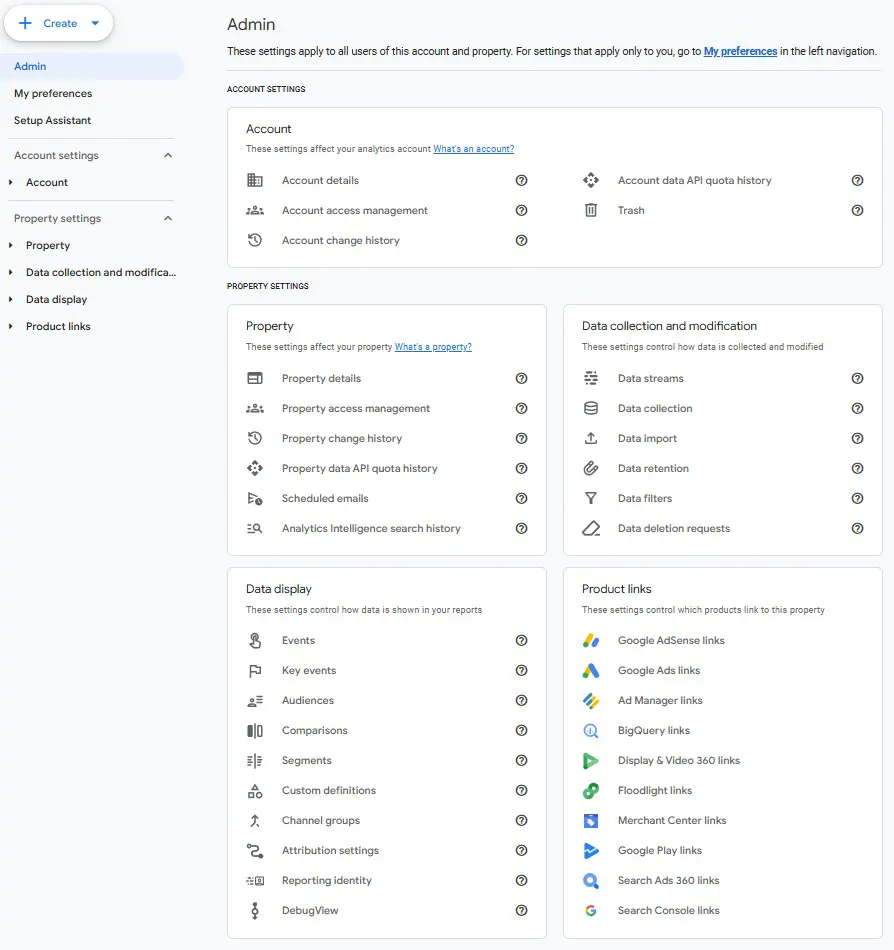
1) Google Analytics, administration, select “create”
2) Enter the resource data:
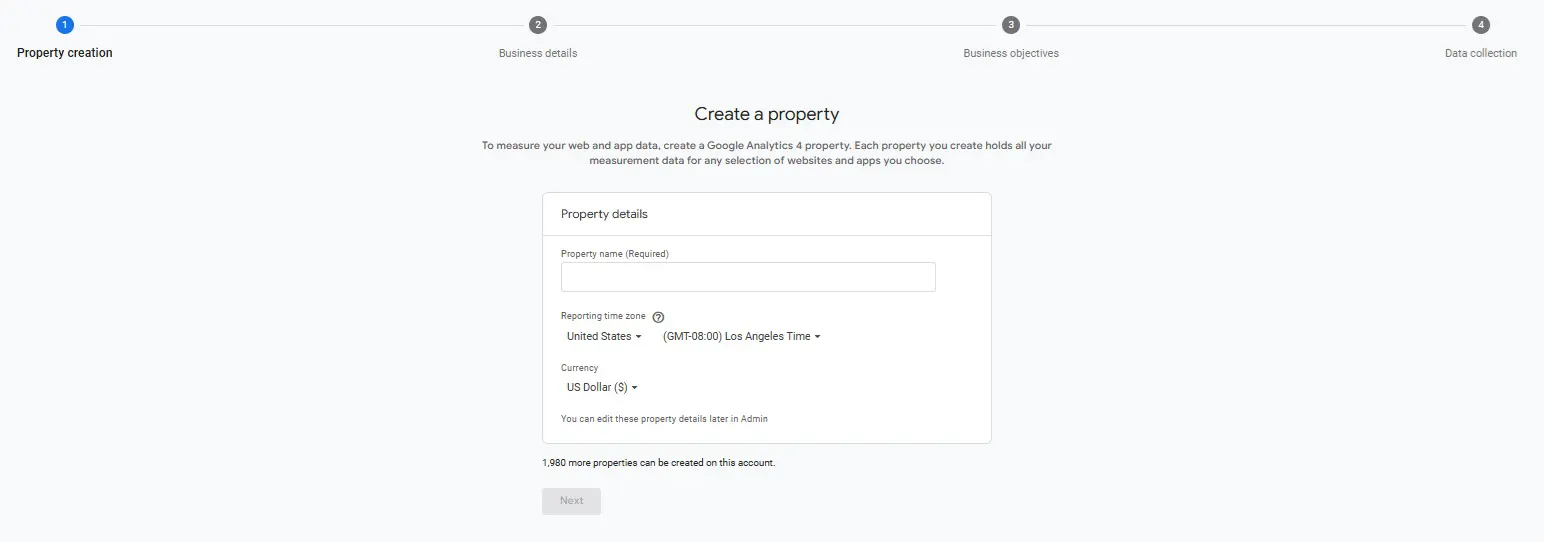
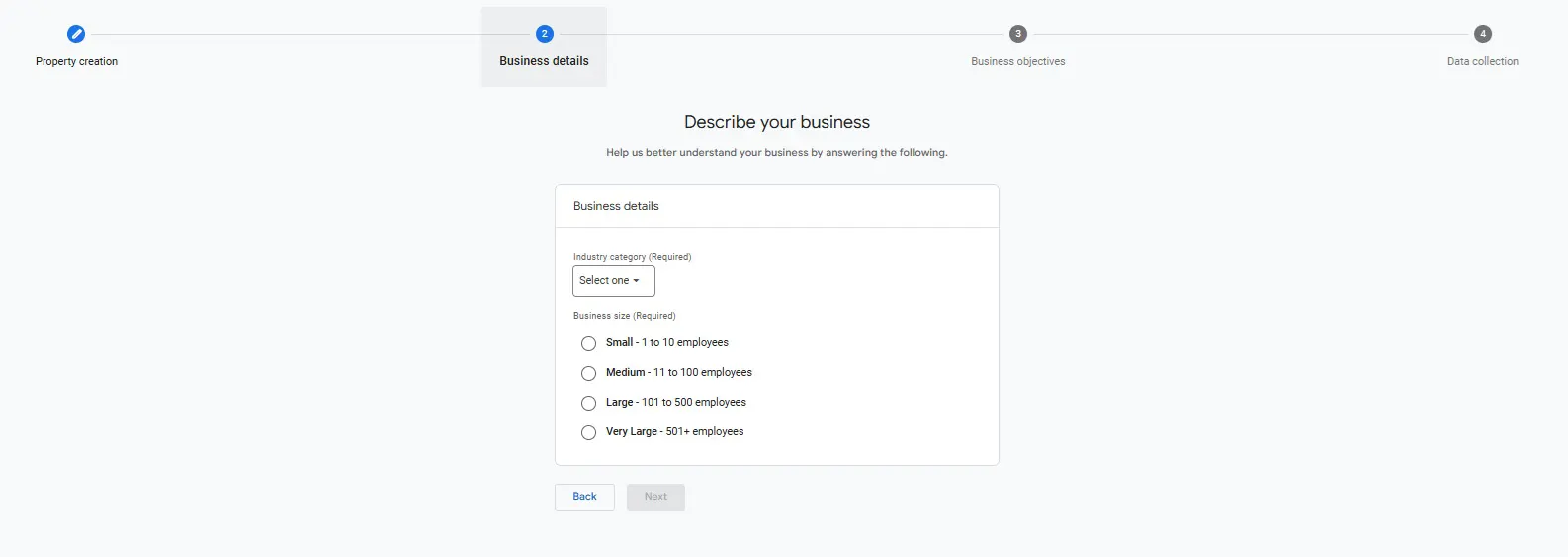
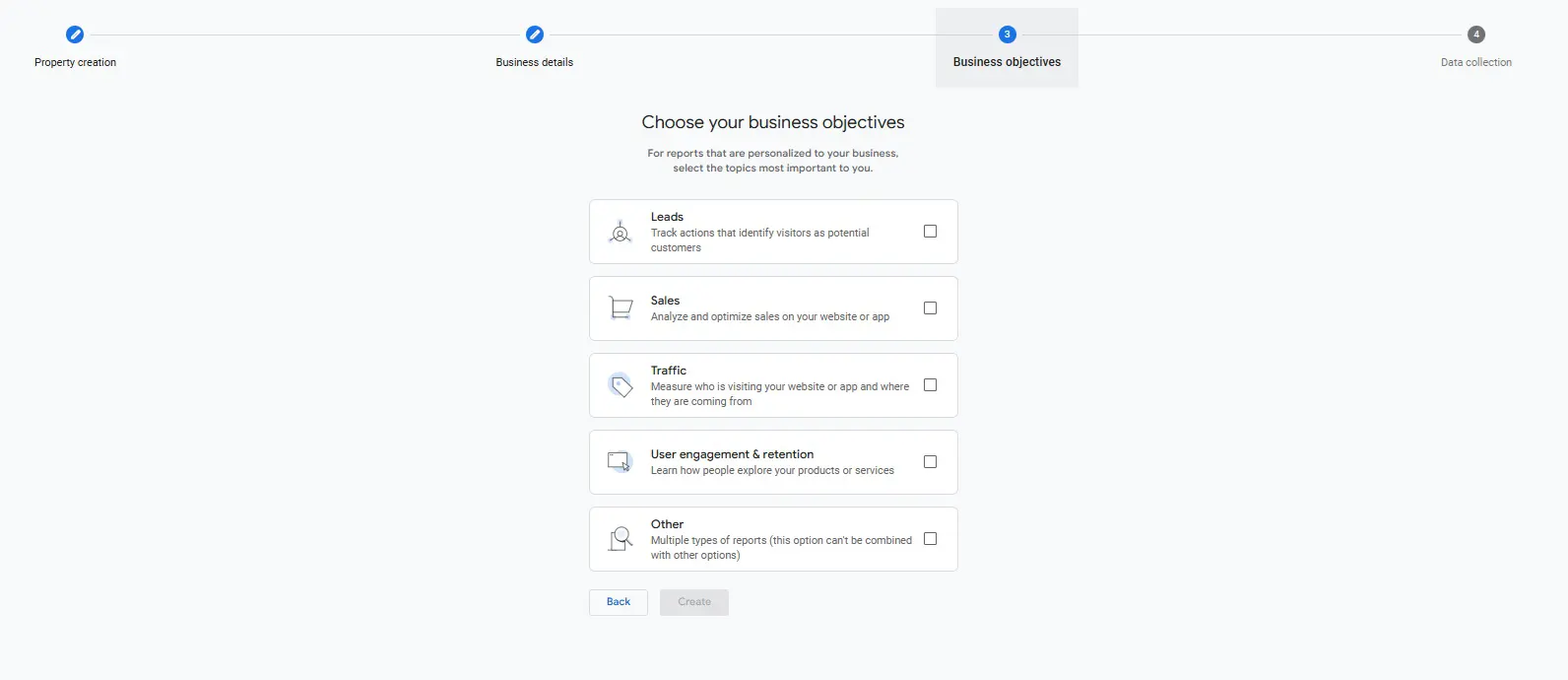
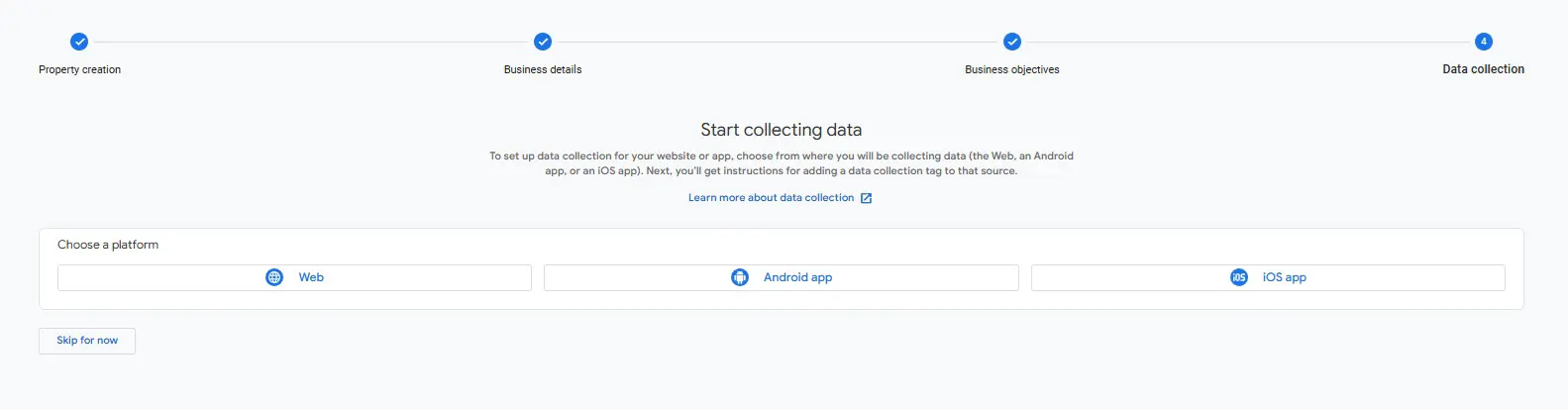
3) Select “Web”, after which the system will offer to configure the data stream:
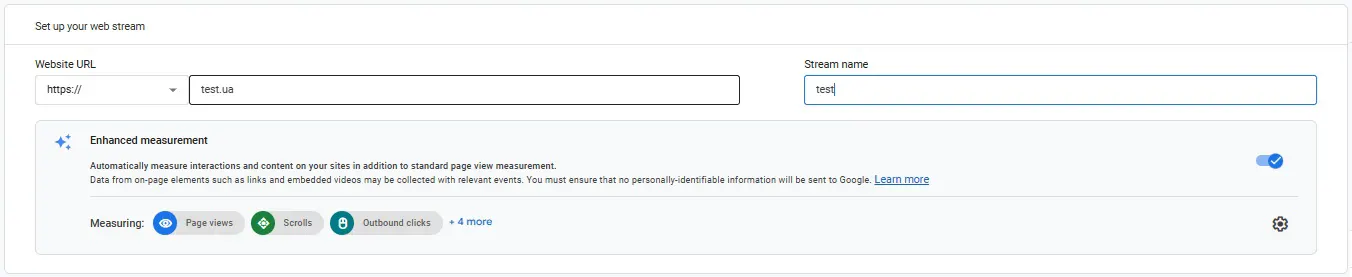
After saving, you will automatically receive instructions on how to enter the code into the site via GTAG:
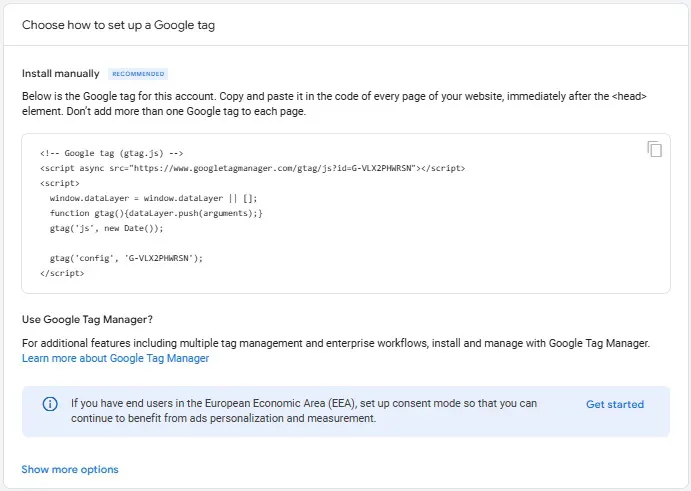
It is issued automatically if you plan to directly implement the code into the site. If you plan to do this through Tag Manager, then proceed further.
4) Copy the ID. Note that it starts with “G-” here
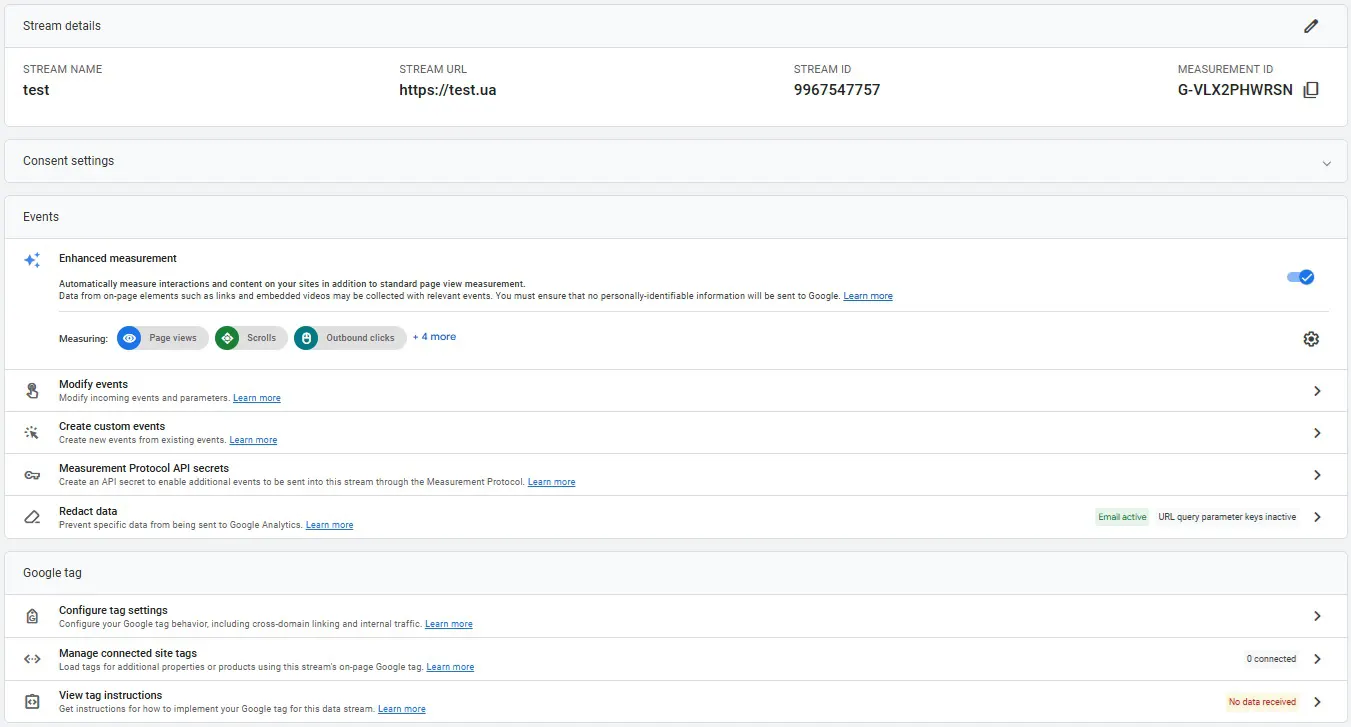
5) Go to the tag manager, there is already a ready-made installation for the tag “Google Analytics: GA 4 configuration”
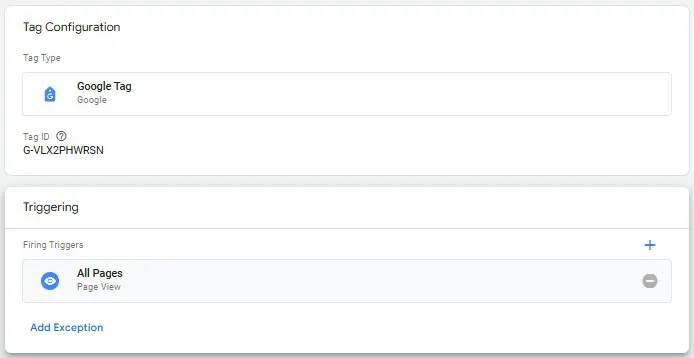
6) We save and get tracking of a completely new level.
Setting up Google Analytics 4 events and conversions
- Setting up standards events and conversions in Google Analytics 4 has changed significantly compared to the old analytics, which cannot be described in 2-3 paragraphs. Read about the features of setting up events and conversions in GA 4 in our new article;
- Setting up e-commerce for online stores also differs from connecting e-commerce in the old version of Universal Analytics. See the latest information about set up here.
Google Analytics 4 functionality is constantly updated, the article will be gradually updated as it is updated + meet new articles on our blog.
 Order a service