


One of the most advanced solutions for advertising online stores and more is Performance Max Google Ads. Used by over 80% of Google Ads advertisers, it's definitely not worth missing out on.
* This article was written in 2022, just after Performance Max was released, and has been continually updated. It's time to update and organize the information. This article has been updated to the current date.
This article about Pmax will be structured to cover various aspects of this type of advertising campaign, without which the article would not be complete. Let's examine each aspect in more detail.
- History of appearance
- Performance Max is...
- For what decisions
- Product advertising (Google Shopping);
- Search advertising;
- Google Business Profile location advertising.
- Video about Performance Max
- How to set up Performance Max?
- Creative requirements
- What does a Performance Max look like?
- Bidding strategies
- Performance Max analytics
- Advantages and disadvantages
- Frequently asked questions
The history of Performance Max
The ever-increasing competition in Google Ads contextual advertising is forcing both the service and advertisers to find more effective solutions. One such solution was the introduction of Performance Max campaigns in 2022.
Performance Max campaigns replaced Smart Shopping campaigns as the next stage in the evolution of Shopping campaigns for online stores, and were welcomed as a promising solution.
Performance Max is...
Performance Max is a Google Ads campaign that runs ads across all available Google channels to achieve maximum performance, using machine learning, automated bidding, and special signals to find buyers.
Advertisers often call them Pmax.
Let us dwell on the definition of Pmax:
👉 Through all possible Google channels;
This is an advertising campaign that can simultaneously cover search, the Display Network, YouTube, Google Maps, Gmail, and all available Google partner network channels. The ads are adaptive, which means you don't have to create ads for each channel separately.
👉 In order to achieve maximum efficiency;
The campaign is focused solely on maximum efficiency - conversions or conversion value - with minimal costs.
👉 With machine learning;
The campaign is constantly learning and collecting data to manage advertising activities.
👉 With automatic bidding;
Bid management is carried out only automatically, without the possibility of deep manual adjustments.
👉 Using special signals to find buyers.
Pmax uses all possible data on the behavior of potential customers, namely:
- user search history;
- interests;
- website browsing history;
- user event data.
A Pmax campaign allows you to save significant time on creating ads, remarketing lists, exclusions, creatives, and bid management, which previously took dozens of hours.
Sounds appealing, doesn't it?
What solutions is Performance Max for?
👉 Product advertising (Google Shopping);
Advertisement of online store products in the Google Shopping tab and across all Google properties (YouTube, Gmail, Google Adsense partner sites, Google Search, the Google Shopping tab).
👉 Search advertising;
The Pmax campaign allows you to set up an advertising campaign for search advertising based on desired keywords and linked to conversions.
👉 Google Business Profile location advertising.
The Pmax campaign allows you to set up an advertising campaign to boost traffic to offline locations, specifically for Google Business Profile locations. This is the ideal solution for advertising cafes, restaurants, barbershops, service stations, car washes, hair salons, furniture stores, clinics, beauty salons, and more.
Performance Max Video
In addition to this article, we've also created a Performance Max overview video:
In addition to the overview video, we also produced a whole series of videos about Pmax, discussing search advertising, location advertising, bid management, inventory management, and tips on when it's best not to use Performance Max. We've published some of the videos here:
Next, we'll show you how to set up and launch your first Pmax campaign.
How to set up Performance Max?
➊ Choose your goal: sales, store visits, or potential customers.
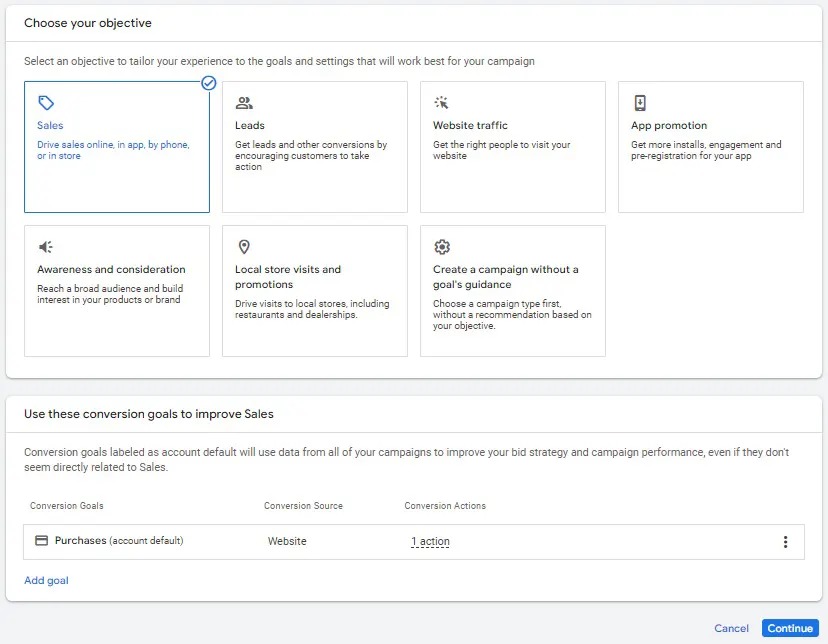
The "Performance Max" campaign type is available when selecting the following objectives:
👉 sales;
👉 leads;
👉 store visits and promotions.
➋ Select ➔ "Maximum efficiency".
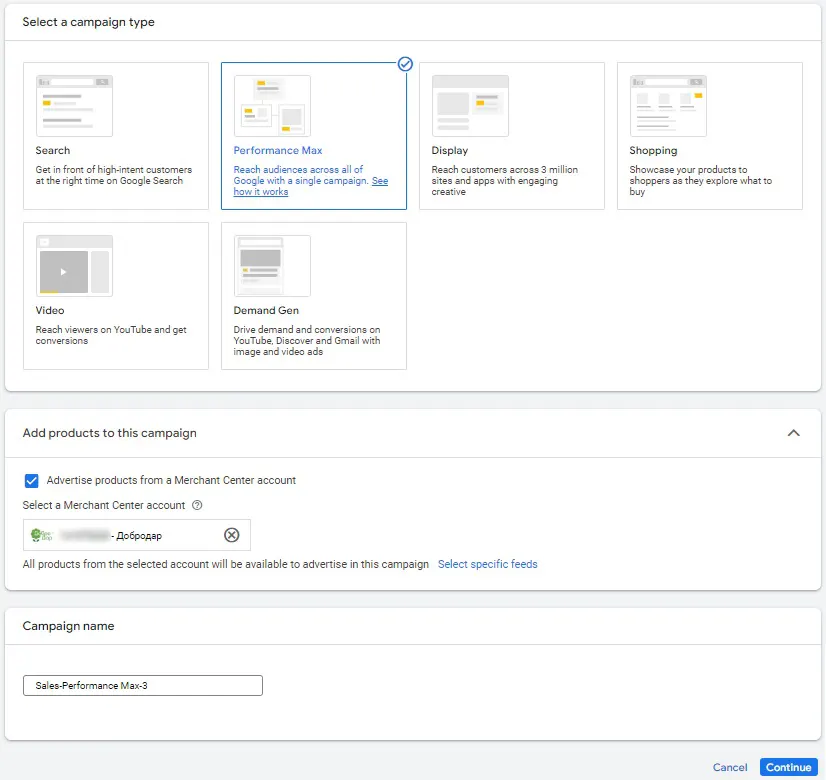
➌ Enter campaign settings.
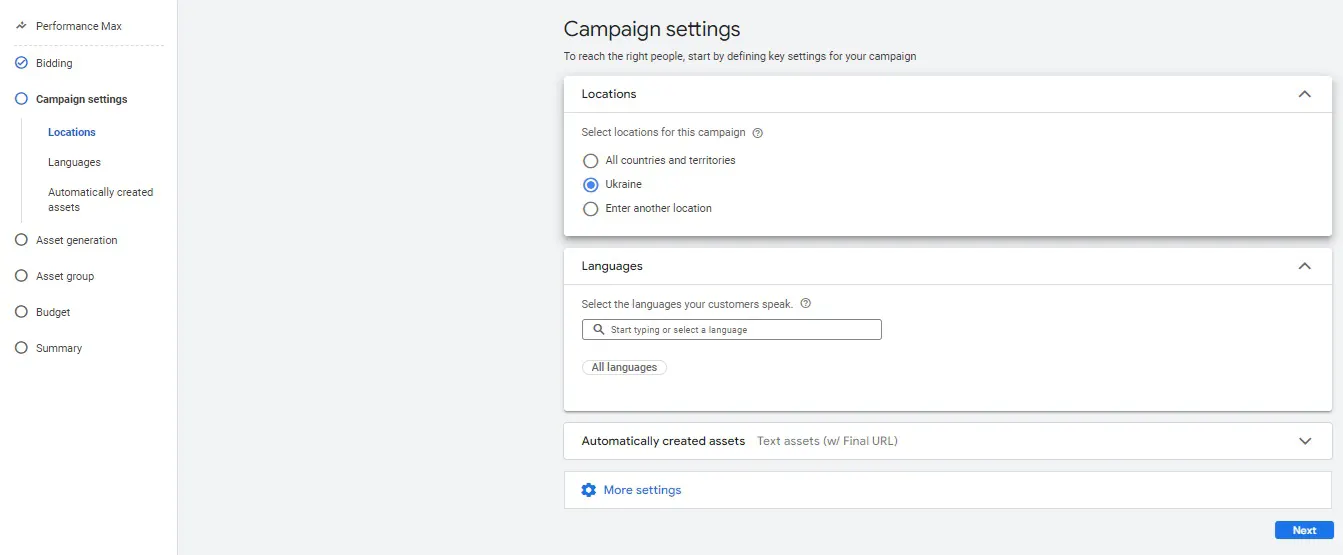
➍ Editing an ad.
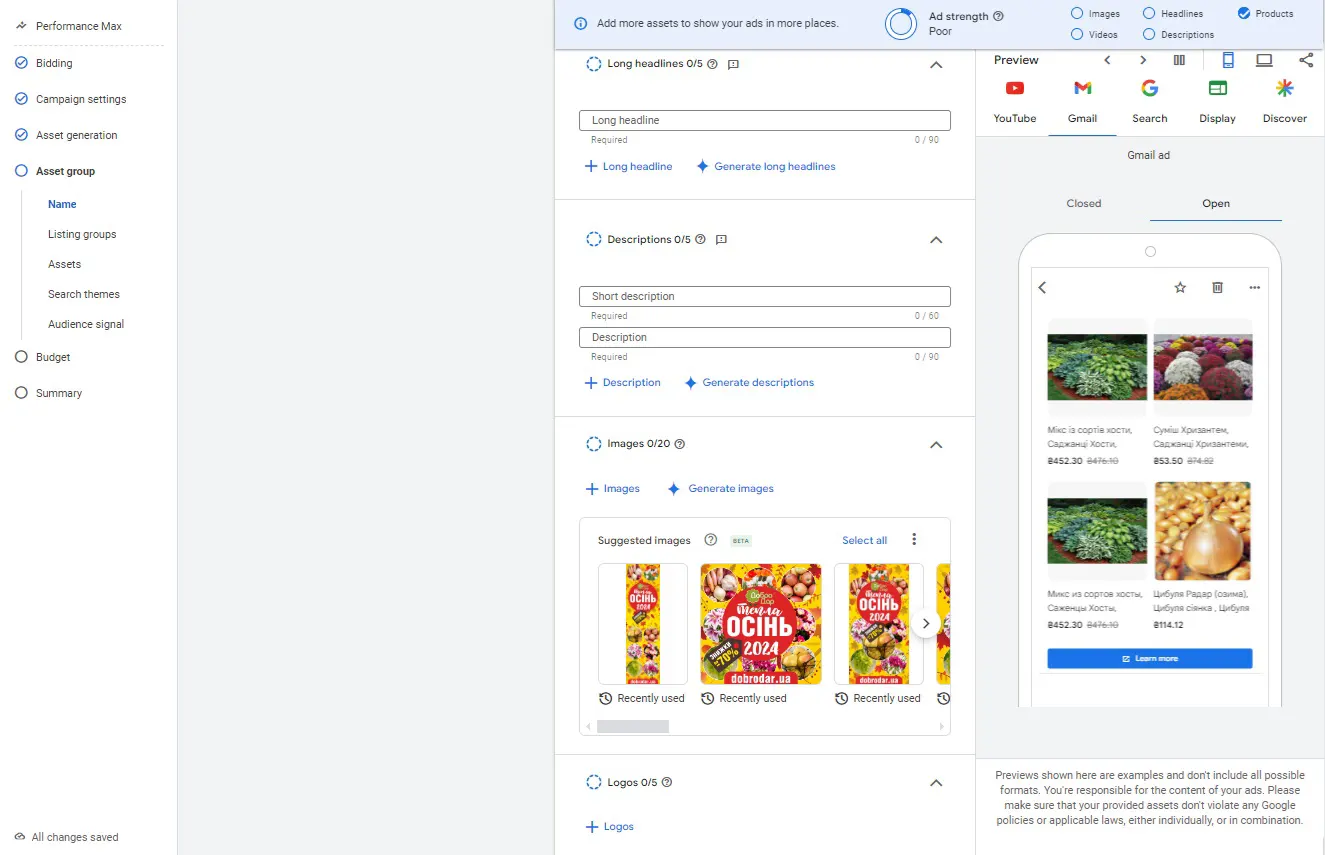
➎ Add extensions.
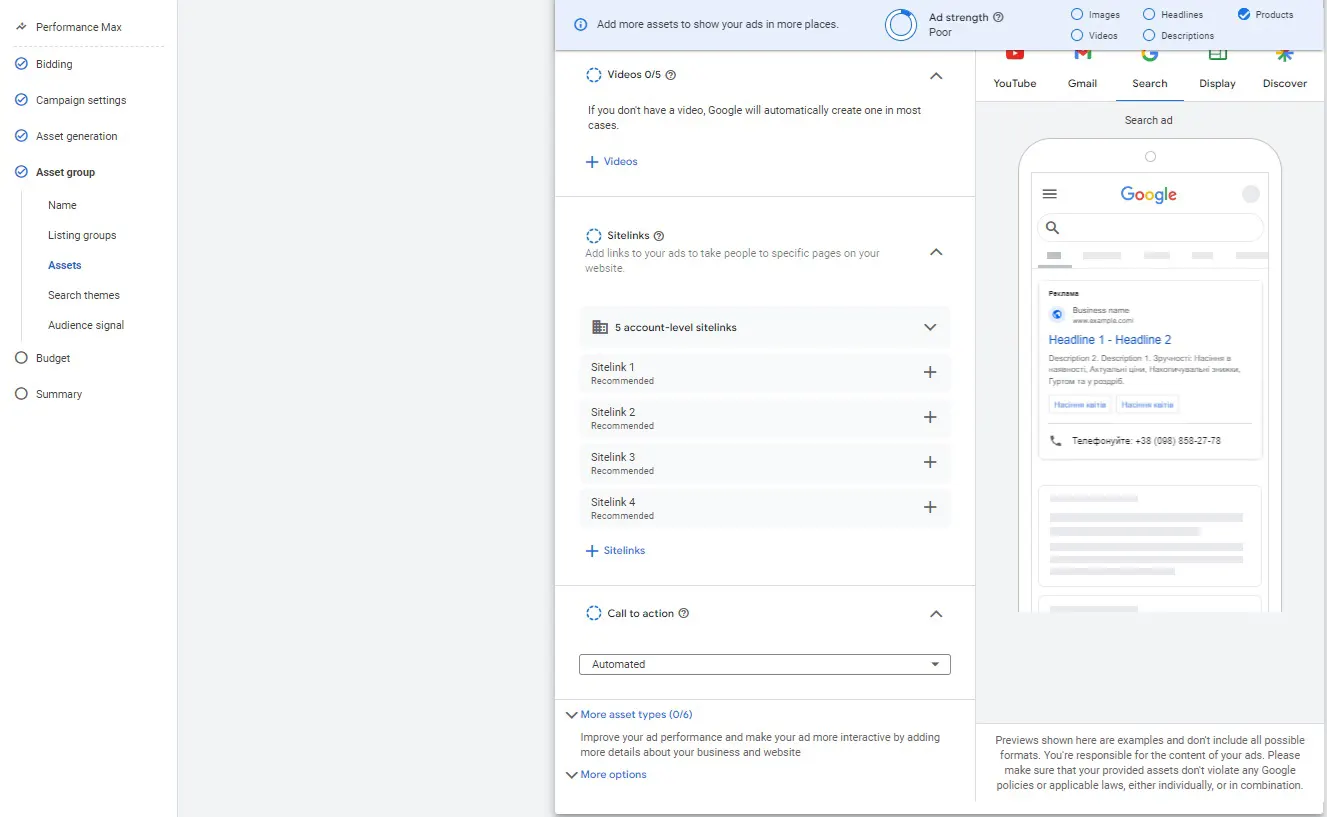
➏ Introduce customized add-ons.
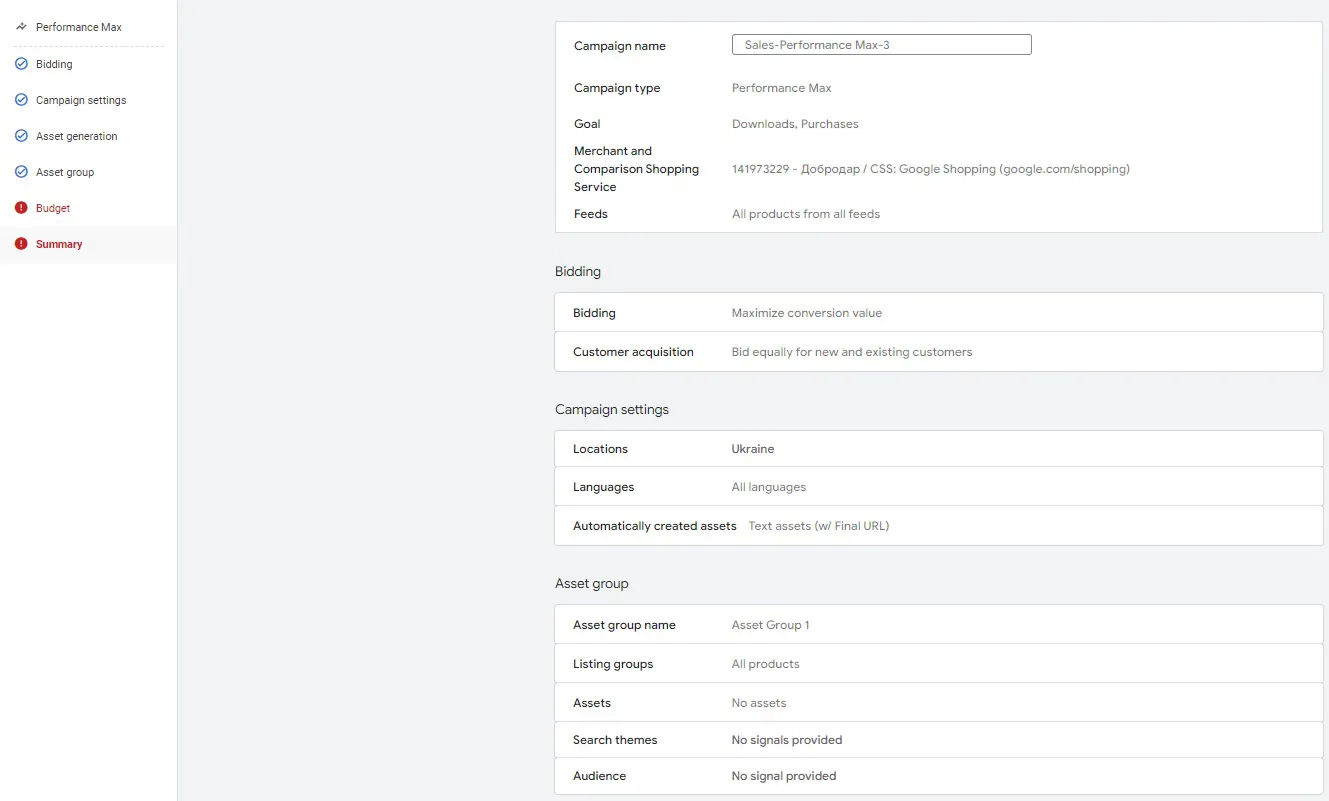
During the setup process, the system will prompt you to create groups of objects with creatives, which we will discuss below.
Performance Max creative requirements
There are two ways to configure Pmax:
👉 Without creativity;
The system allows you to save a group of objects without creatives for online stores, which is extremely convenient for a quick launch.
👉 With creatives that have the following parameters for Pmax:
- up to 11 titles of 30 characters each;
- up to 5 long titles of 90 characters each;
- up to 4 descriptions of up to 90 characters each;
- up to 10 images in 3 different sizes, namely:
- Up to 4 horizontal images (1,91:1);
- Recommended size: 1200 x 628;
- Minimum size: 600 x 314.
- Up to 4 square images (1:1);
- Recommended size: 1200 x 1200;
- Minimum size: 300 x 300.
- Up to 2 vertical images (4:5);
- Recommended size: 960 x 1200;
- Minimum size: 480 x 600.
- up to 15 videos in horizontal/vertical formats.
Once you've created groups of assets with creatives, that data is used for ads.
Additionally, you can upload only 1 banner in HTML5 format up to 600 KB in size and 320 x 480 or 480 x 320 to the Pmax object group.
What does Performance Max advertising look like?
The Performance Max campaign generates ads automatically based on the following components:
- Merchant Center feed data;
- titles, descriptions, photos, and videos from the listing;
- site meta tags;
- location data from the Google Business Profile.
Performance Max ads are virtually indistinguishable from other ads in appearance. They are standard responsive ads on the Display Network and product cards in the Google Shopping tab. The only difference with Pmax advertising is the automatically generated videos from graphic and text materials that you can find on Google or YouTube partner sites.


Performance Max bidding strategies
One of the most frequently asked questions about Performance Max concerns bidding strategies.
Since this campaign type is focused on maximizing performance using machine learning and automated bidding technologies, two types of bidding strategies are available:
👉 Maximize conversions;
Focused on maximizing conversions with the ability to set a desired cost per conversion.
👉 Maximize conversion value.
Focused on maximizing conversion value with the ability to set a desired ROI (revenue to advertising investment percentage).
Performance Max Analytics
One of the most important aspects of Performance Max is analytics. At first, it was a completely closed box, but over time and as the Pmax product developed, Google developers gradually began to add the ability to analyze these campaigns.
The following key aspects of Performance Max analytics are currently available:
The “Statistics” section, which provides general campaign metrics from spending to value dynamics, data on related audiences, and basic information on search queries.
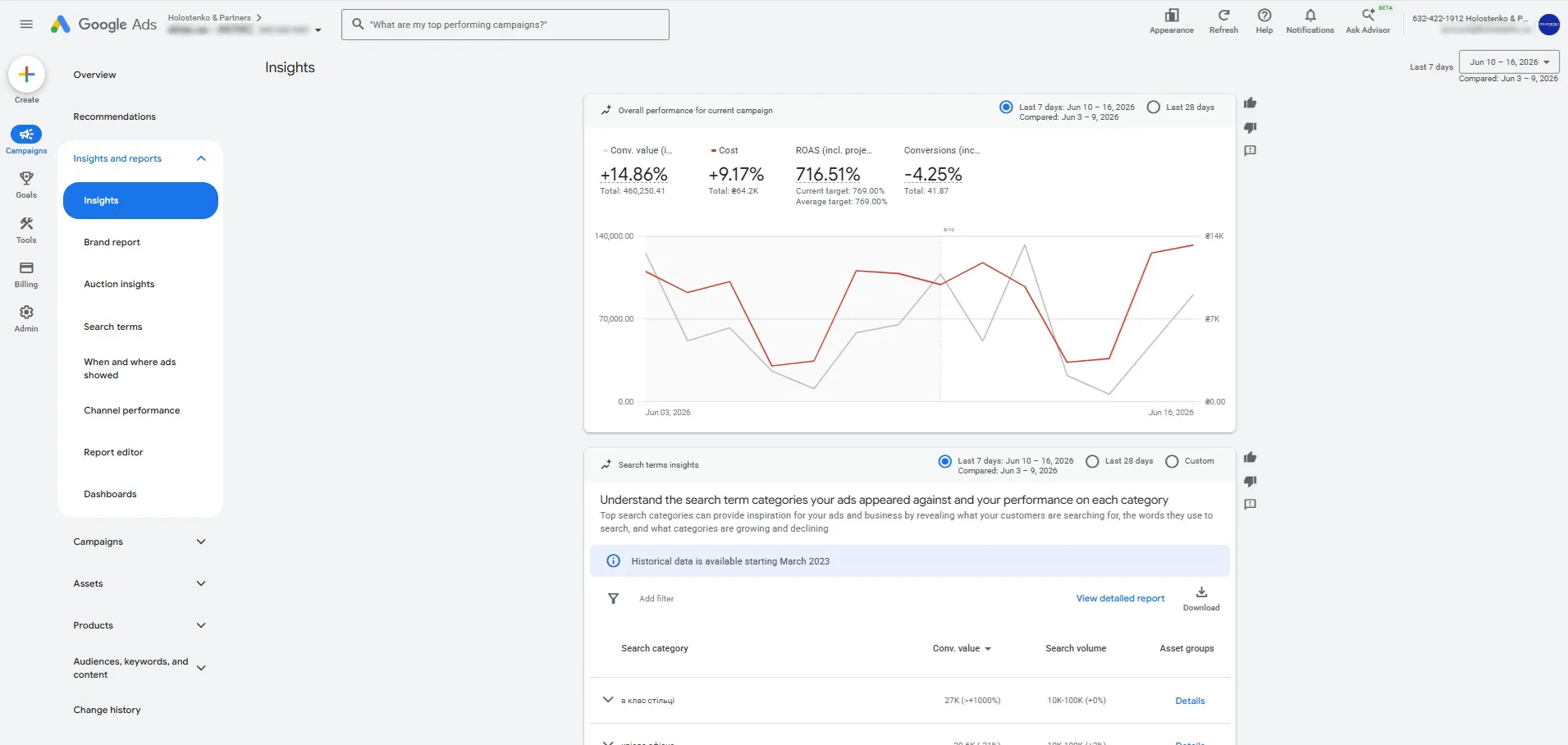
Search query statistics
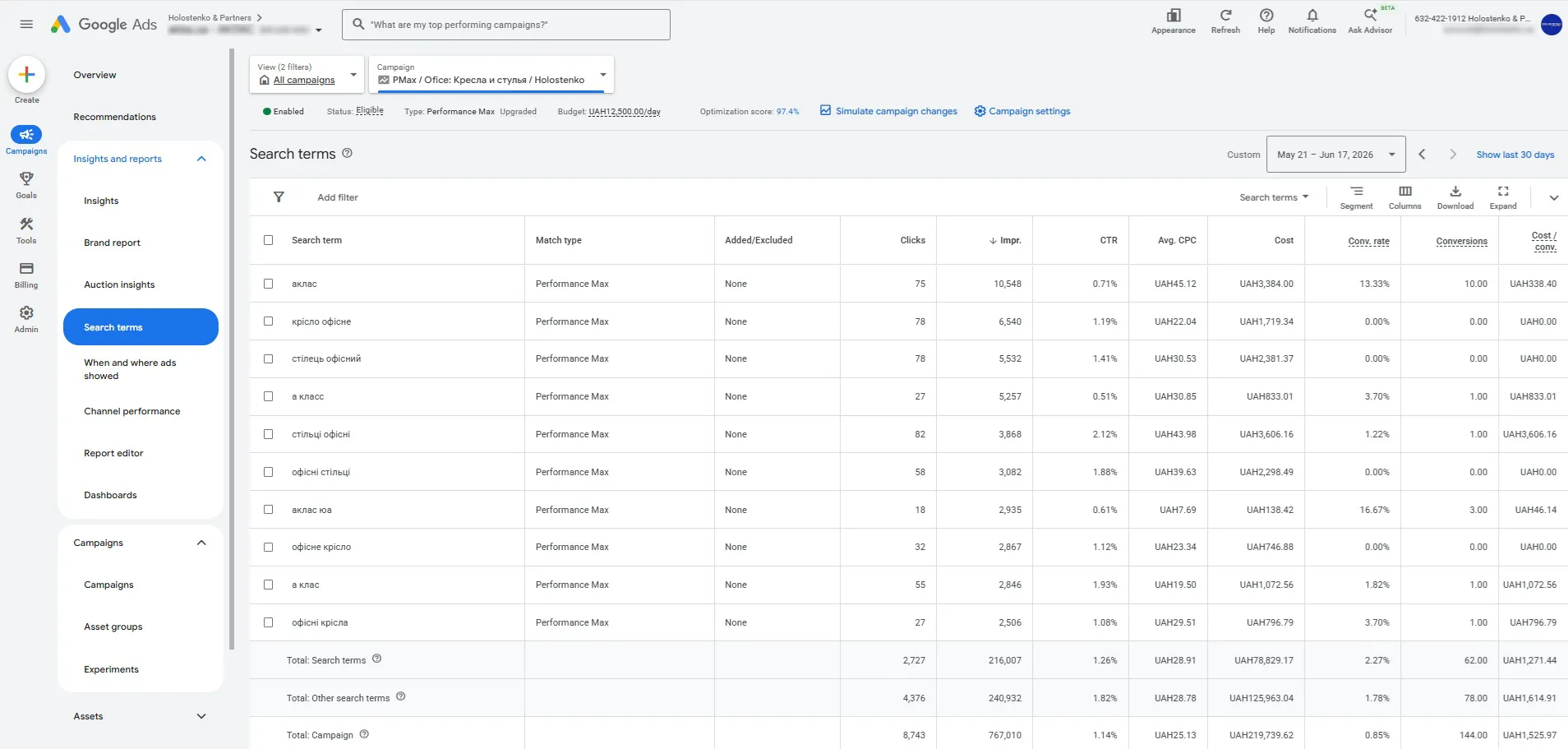
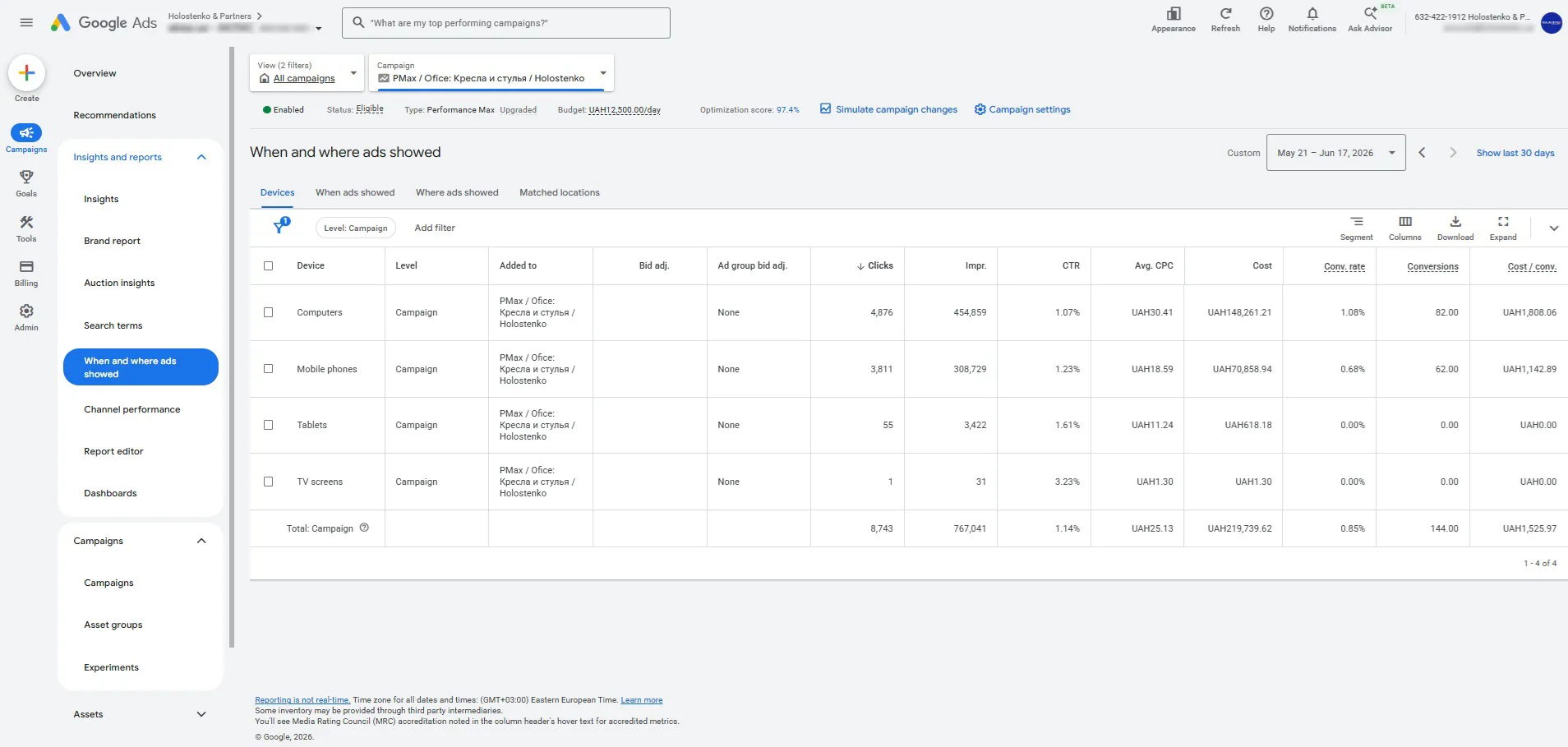
Where and when the ads were shown
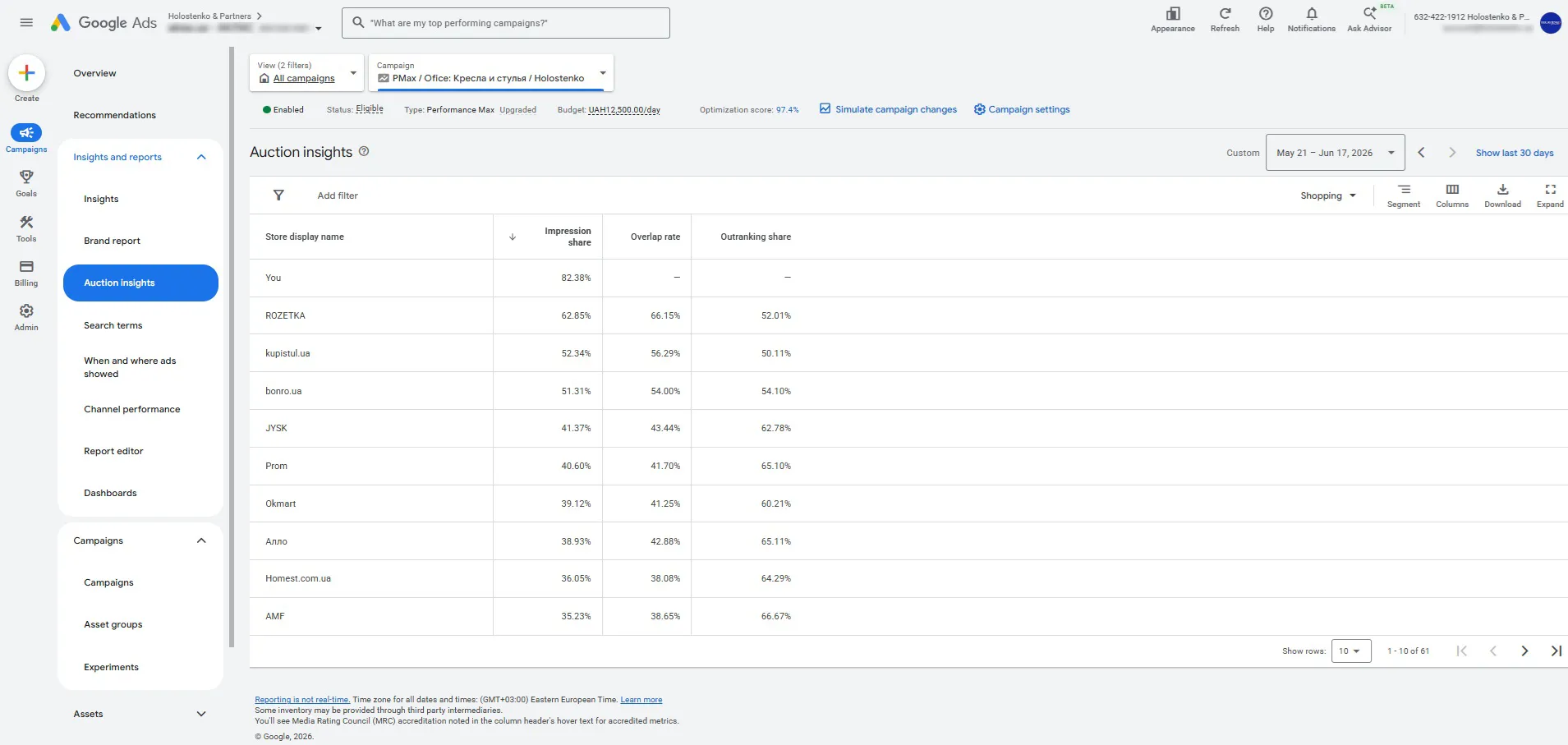
Auction statistics
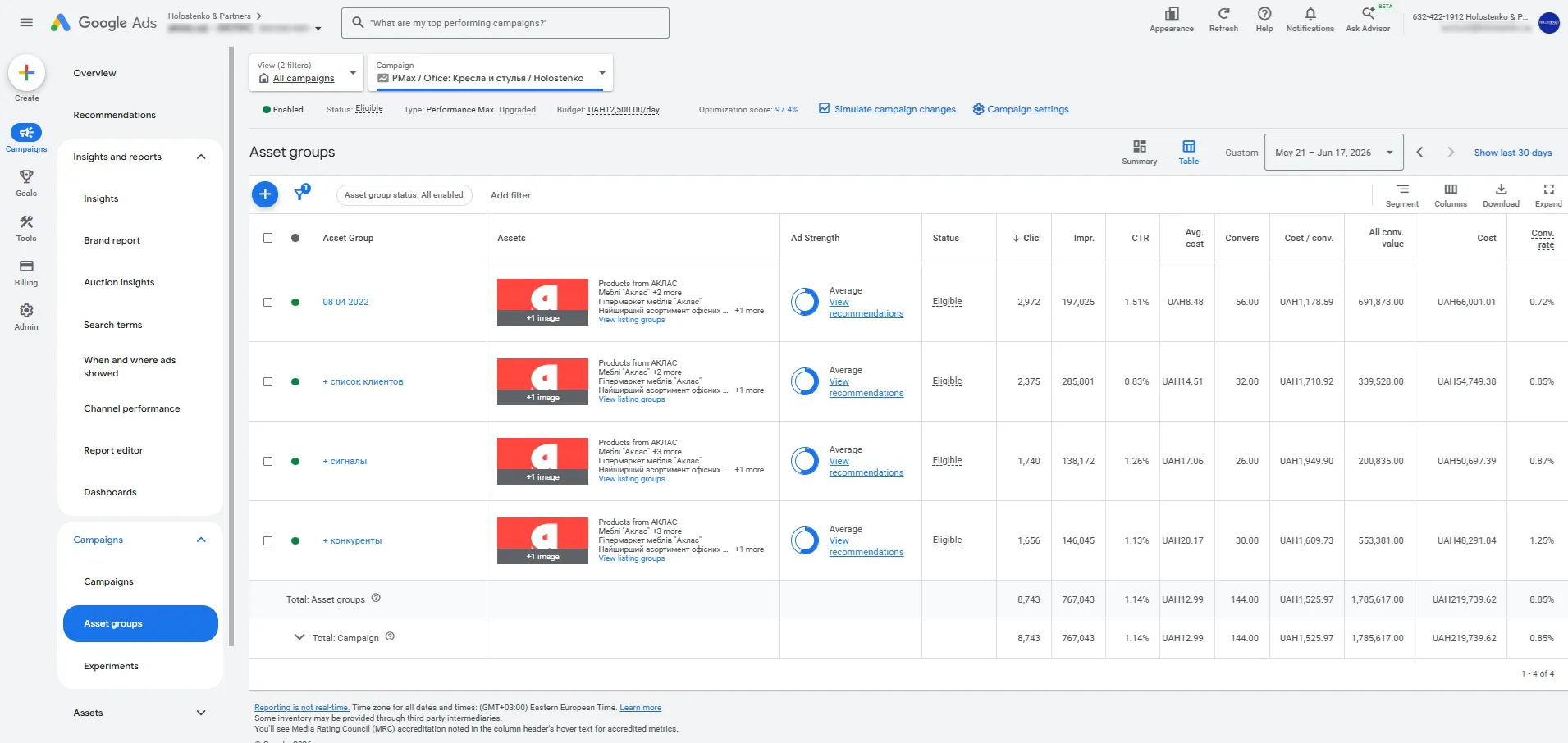
Object group statistics
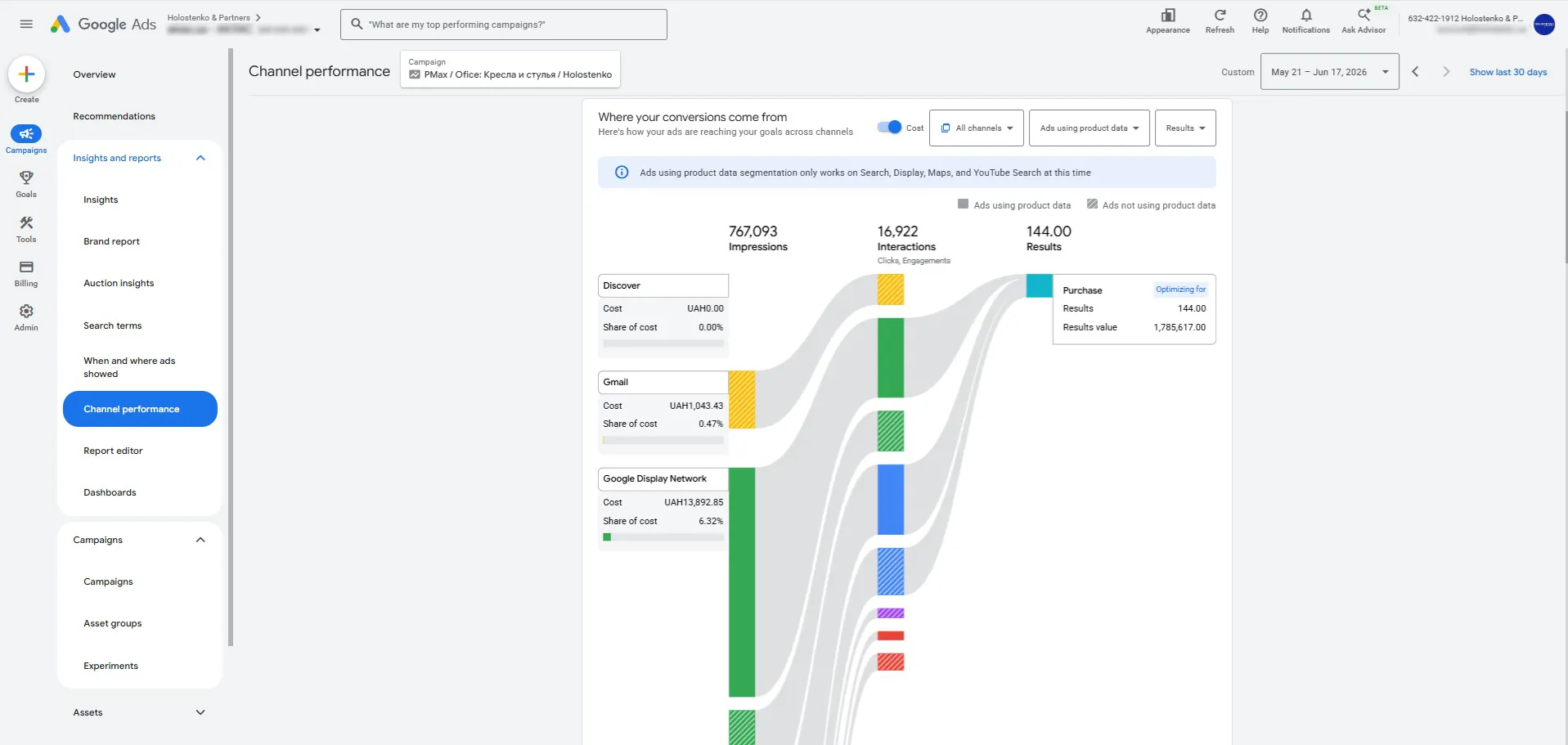
Channel efficiency
The most visually appealing Pmax report, the key is to view it correctly.
Products
For online stores, product-specific information is available separately, ranging from impressions and clicks to conversions.
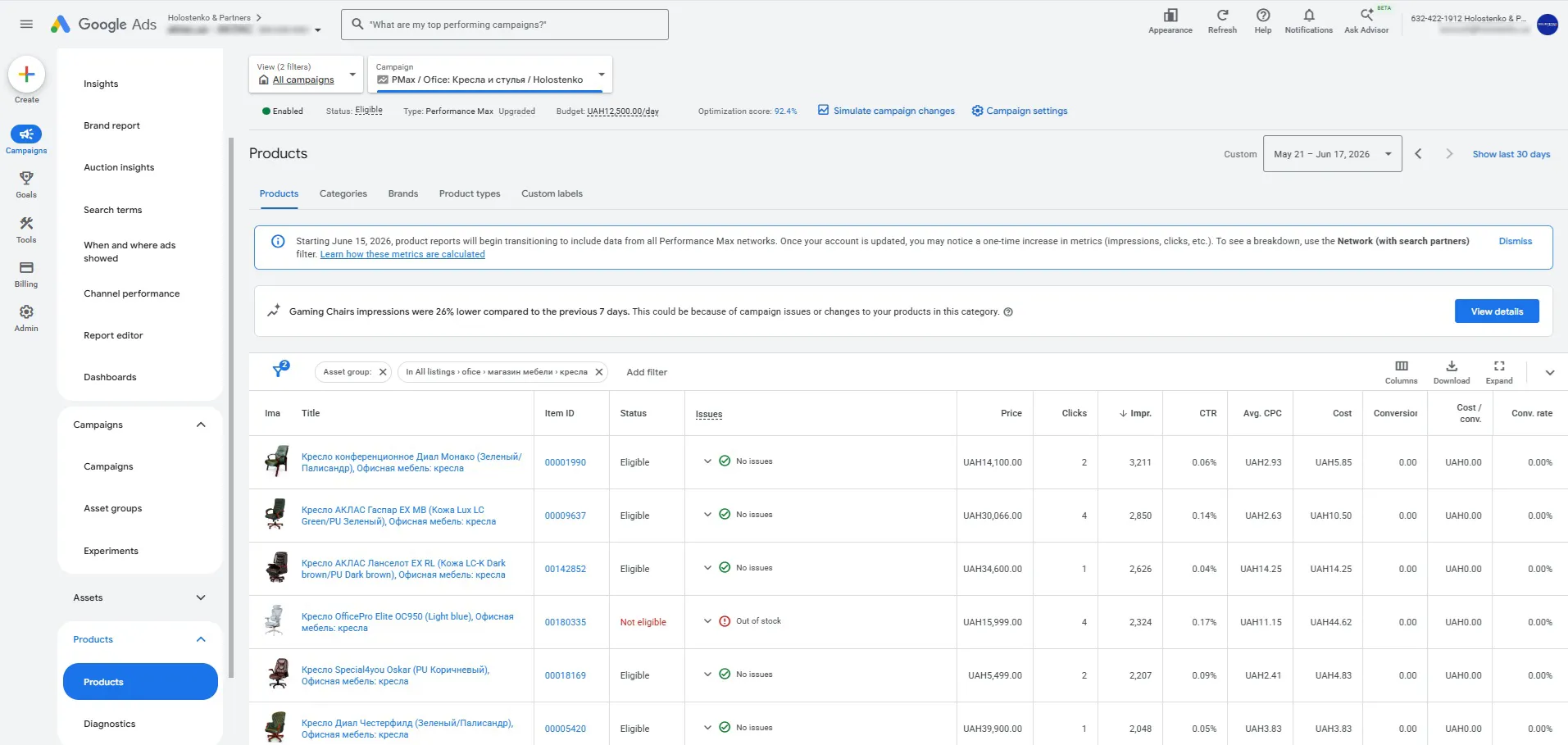
Overall, Performance Max today is a campaign that can be analyzed and conclusions drawn, unlike at launch.
Advantages and disadvantages
Each tool has its advantages and disadvantages. With the development of Pmax, the number of drawbacks has become much smaller than it was when this type of advertising campaign was launched. Google developers are actively adapting the tool to the needs of advertisers.
Advantages:
- one campaign - all formats;
- one campaign - all channels;
- automatic bid management;
- machine learning and customer search using special signals;
- save time on launch.
Disadvantages:
- there are no flexible management tools, and trust is placed solely on machine learning;
- algorithms behave incorrectly during sudden changes in market activity.
Frequently asked questions about Performance Max
✔ What is necessary for Performance Max to work effectively?
⭐ For Pmax to work effectively, your Google Ads account must receive the necessary analytics data on user performance so that optimization processes occur automatically.
✔ Is it possible to set up Performance Max once and then not have to do anything else?
⭐ It is possible, but the work will not be effective for long; sooner or later, your competitors will surpass you, or technical deviations may occur.
✔ How to scale sales with Performance Max?
⭐ Use auction buyout analytics, real profitability, and manage your inventory, budget, and bid strategy.
✔ How effective is Performance Max for online stores?
⭐ Pmax campaigns generate 70-85% of all online store sales. And when managed correctly, they achieve their goals in 95% of cases.
We hope we've covered the capabilities of Performance Max in as much detail as possible. What comes next is a matter of management and control. The choice is yours.
 Order a service