



You can visit a website and not notice anything, but all the while, real miracles can be happening in the code. Sending various tags, data, variables, and events—all of this happens online when a user visits the site. One such miracle is the 301 redirect, which advertising specialists dread like fire.
A 301 redirect is a server-side redirect from one URL to another, indicating that the page has moved permanently.
A 301 redirect visually appears to be a simple page reload, but in reality, it means:
👉 a transition from one URL to another, with the loss of analytics data, referral source, and tags.
Consequently, if a site has 301 redirects and users click on them, analytics receives less data about conversion sources, and advertising performance metrics decline.
This is precisely why advertising professionals are wary of 301 redirects.
You can visually see the results of a 301 redirect in your browser
✅ Go to incognito mode, press "F12," and go to the "Network" tab.
✅ Enable "Preserve log" (this allows you to see the log after reloading the page).
✅ Load the page where the 301 redirect will trigger.
✅ We look at the Measurement Protocol record - “collect?v=2” with sending to Google Analytics 4, the “Payload” tab, and pay attention to the fields:
- gclid - Google Click Id, click identifier;
- cs - Campaign Source, resource;
- cm - Campaign Medium, traffic type;
- dr - Document Referrer, referring domain.
If these parameters are missing, then when a 301 redirect is triggered, all sources are lost, and the visit will be counted as "Direct / None." The ad will receive fewer conversions and will not be effective.
Visually, the result of a 301 redirect in the console looks like this:
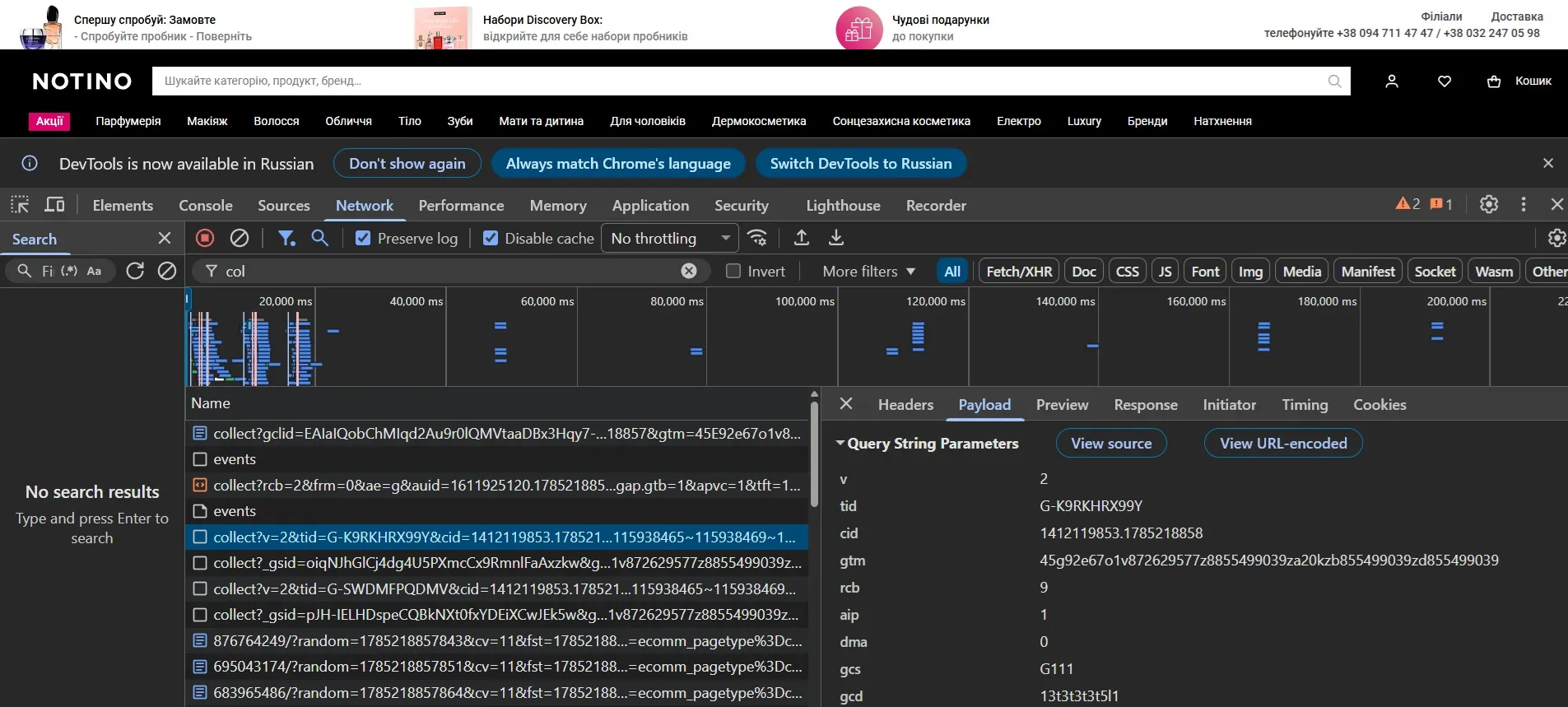
This happens in 90% of cases, as it's a standard 301 redirect triggered by a typical server setup. In the remaining 10%, tags and data are preserved. This means the website's programmer has taken care of this and thoroughly researched data preservation. But in most cases, programmers haven't even heard of this. We understand how to preserve this data.
We address such issues in our web analytics services. Website owners are sometimes unaware of existing problems and spend years trying to figure out why their advertising isn't working effectively.
 Order a service