



"Everything old is new again."
Have you heard that phrase?
Well, this article is practically about that.
So, a new, beautiful acronym is appearing in Google Ads campaigns: "AI Max." For those new to algorithms and contextual advertising, it sounds like a magic button called "the secret of why money is passing us by, and how we ever worked without it." Let's explore what AI Max is in Google Ads based on our many years of experience in contextual advertising.
AI Max Google Ads is an additional option for search campaigns that activates dynamic search ads with automatic keyword search in search results, substitution of relevant URLs, and ad text generation.
Doesn't this remind you of anything?
These are DSAs – dynamic search ads – forgotten by many. We still use them today, and there's no AI magic involved. These are algorithms that have been working for many years.
But upon closer inspection, there are some features and options that weren't previously available in DSA, or that were known only to experienced advertisers. Now, they're easily accessible and can be useful when setting up ads, as we'll discuss below.
You can enable AI Max in Google Ads in the settings of any search campaign by turning the slider to the right:

Setting up AI Max in Google Ads
The AI Max setup for Google Ads search campaigns looks like this, with additional settings:
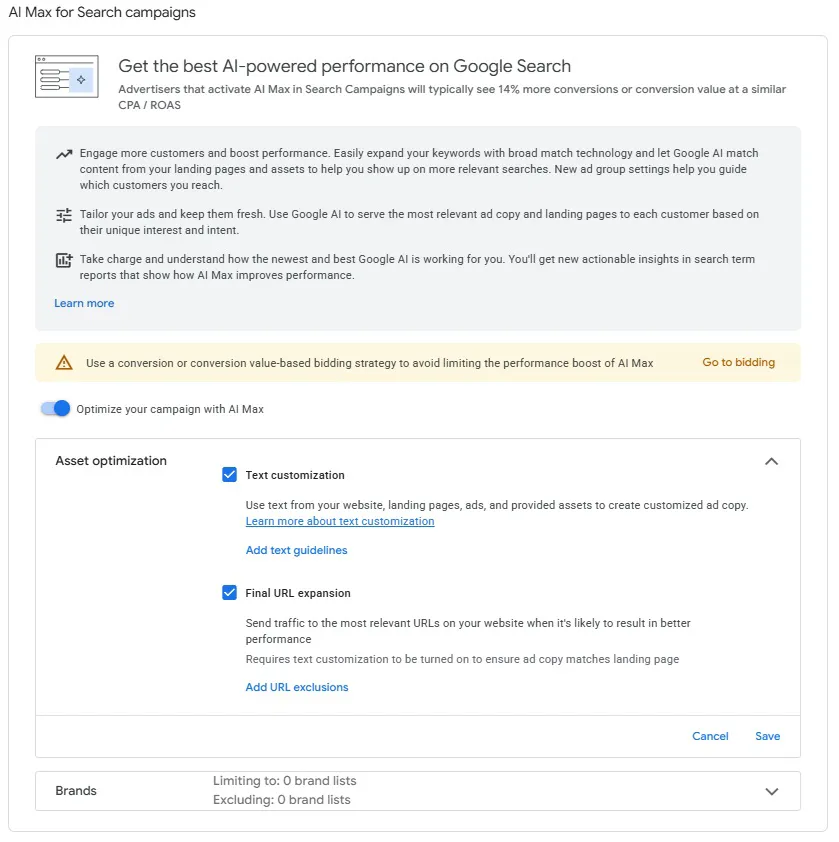
✅ Text optimization
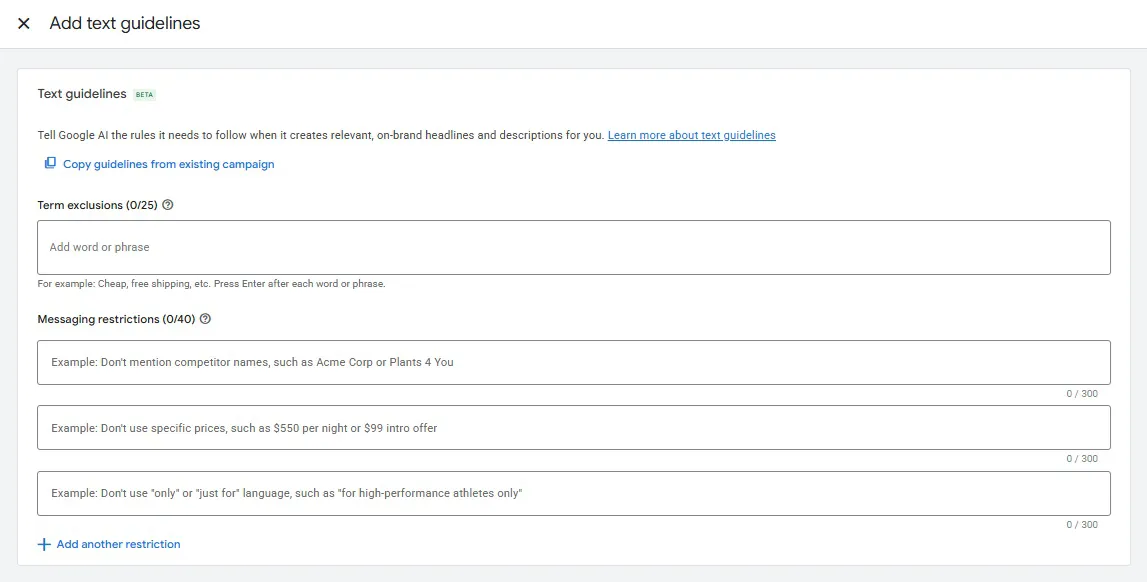
The "Text Optimization in AI Max" option offers a unique way to set rules for creating text ads, namely:
👉 Words to avoid. For example: brands, cheap, free. In other words, unwanted text from SEO phrases. Limit to 25 phrases.
👉 Which relevant words should not appear in ads. The limit is 40 phrases per field, and multiple fields are allowed.
✅ Final URL addition
The "AI Max Final URL Extension" option allows you to manage crawling rules — which URLs to include or exclude when generating dynamic ads — using the following add-ons: exact URLs, URL rules, and feed labels.
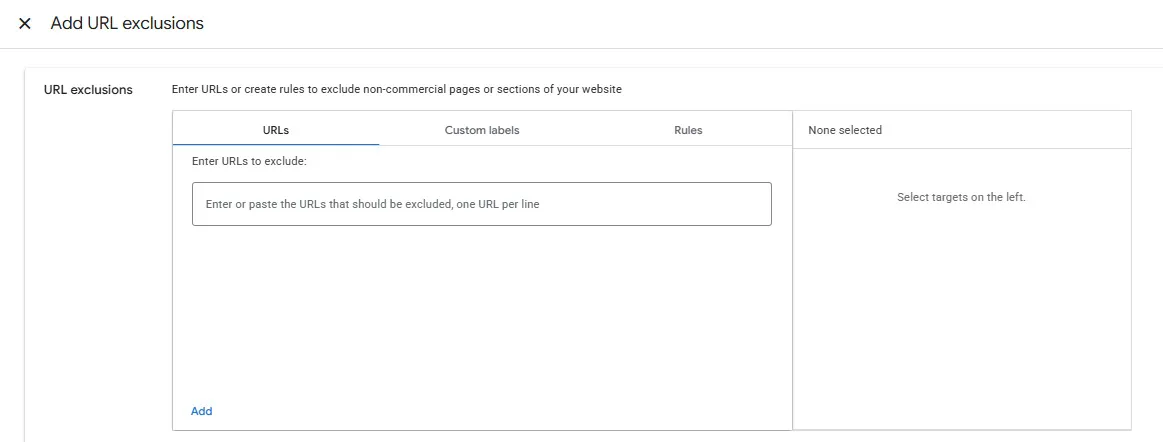
* To use the "Feed Labels" option in AI Max, the "Page Feeds" option must be enabled in the campaign. Feeds can be added through the Google Ads menu:
“tools” ➔ “commercial data” ➔ “data feeds”
✅ Brands
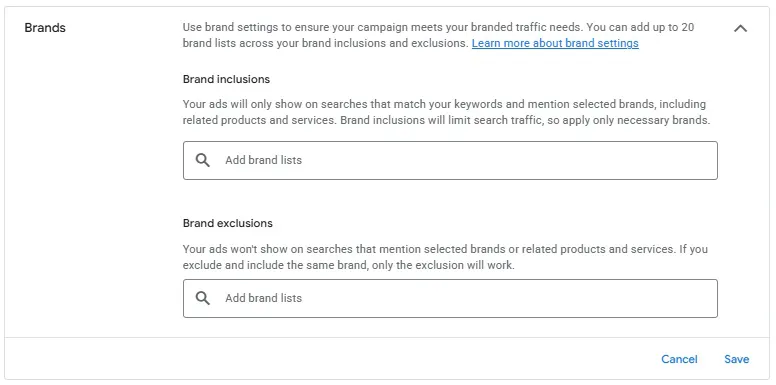
The "Brands in AI Max" option allows you to manage brand impressions in your search campaign. Specifically, you can:
👉 Specify the brands for which your ad will only appear.
This is a great option if your brand is niche and the keyword for the brand name in your classic search campaign has a "Low Searches" status.
👉 Exclude brands for which you don't want your ad to appear.
Additionally, when setting up the AI Max option, the system will offer you the option to switch to intelligent bidding. This is the advertiser's choice.
To summarize the above, the “AI Max Google Ads” option is an opportunity to strengthen classic search campaigns by additionally including dynamic search ads with additional options that were not available before.
In specific cases, if your contextual advertising goals fit this tool, it can be used.
You can disable AI Max in a Google Ads campaign just as easily as you enabled it—simply turn the slider to the left.

For more information, please contact the agency.
 Order a service