


One of the key differences between Google Analytics 4 and Universal Analytics is the ability to track both website and app analytics using a single counter. Today, we’ll focus specifically on app analytics, as we’ve already discussed website analytics in GA4 multiple times.
So, to start tracking app analytics in GA4, you need to follow these steps:
➊ Add apps to data streams: Separate streams for iOS and Android.
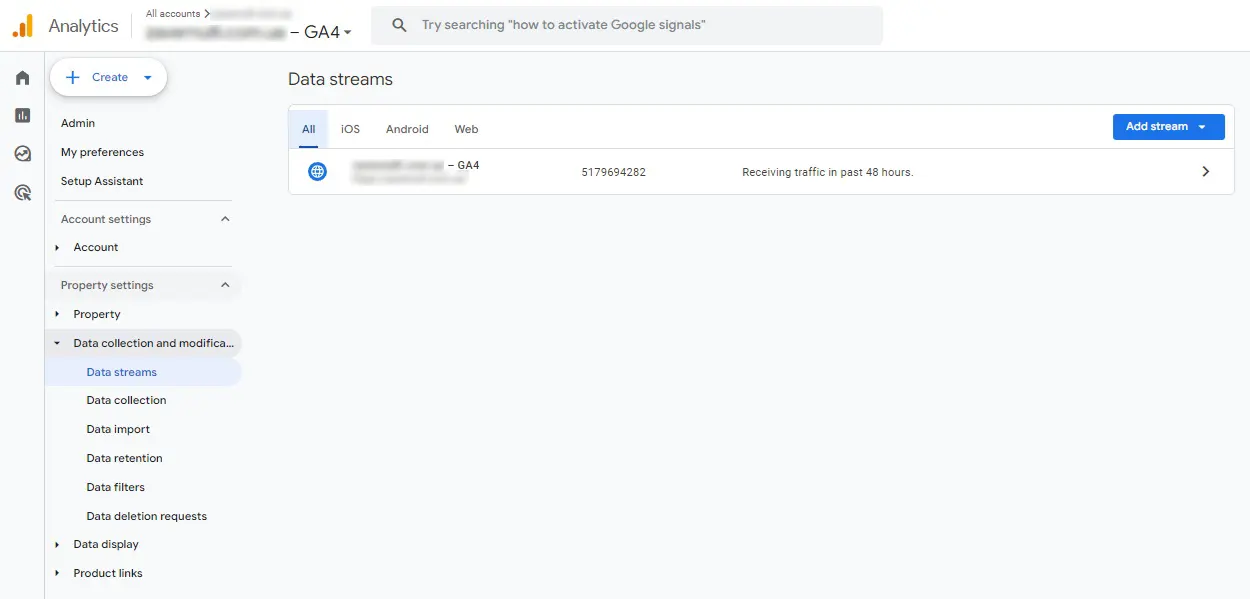
➋ Fill in the app details: You’ll provide the necessary information during the app setup.

➌ Get the analytics implementation instructions: These are provided immediately during the app setup in GA4.
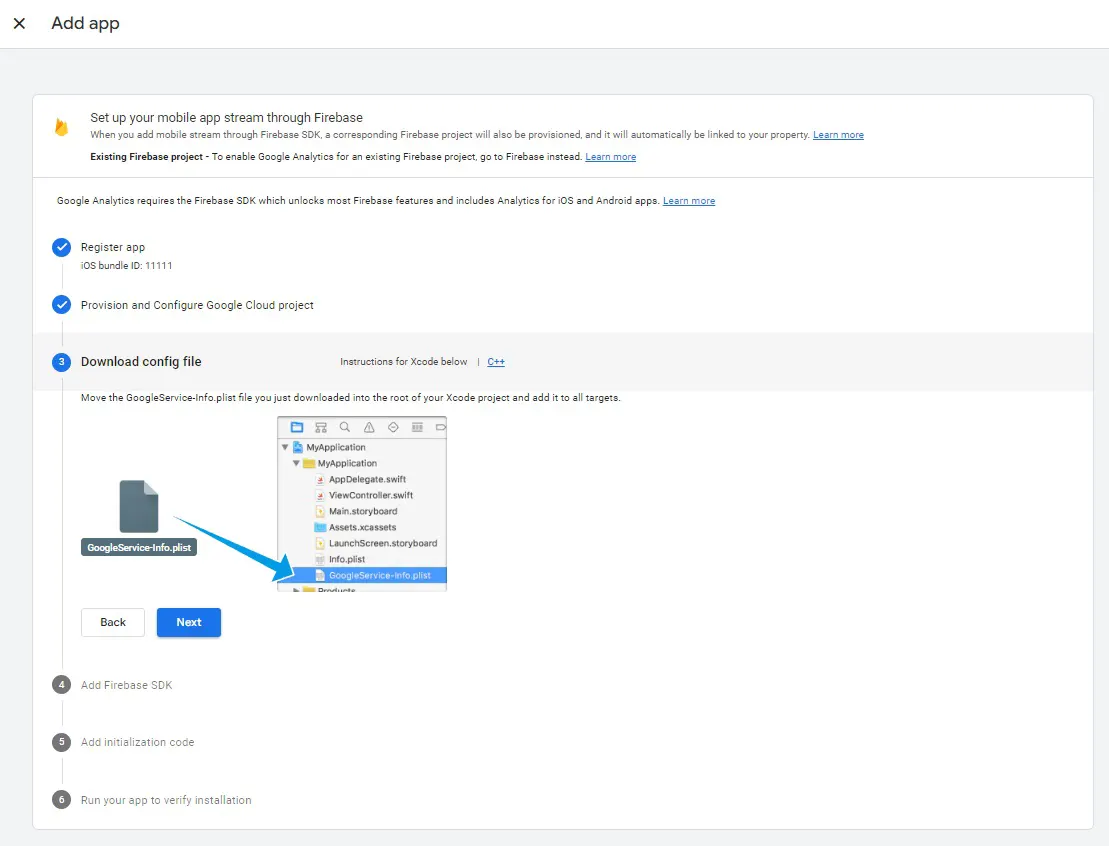
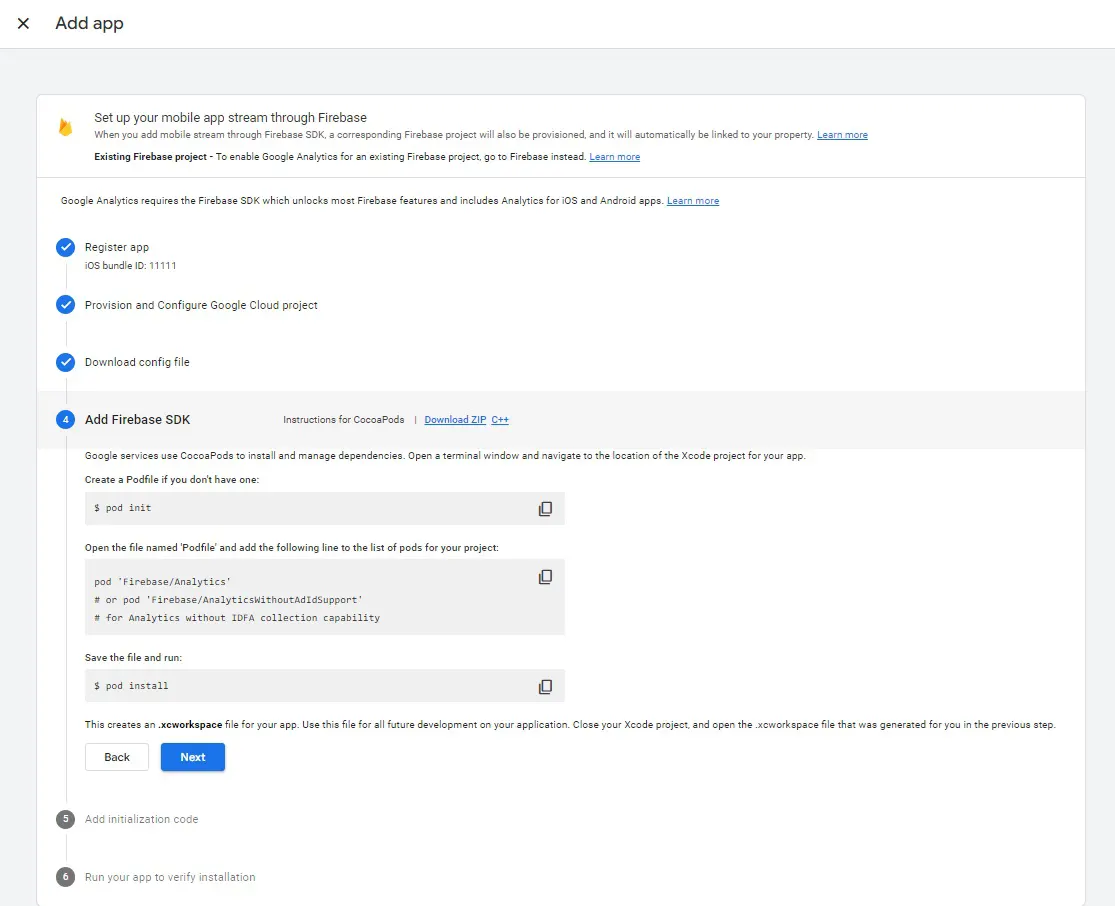
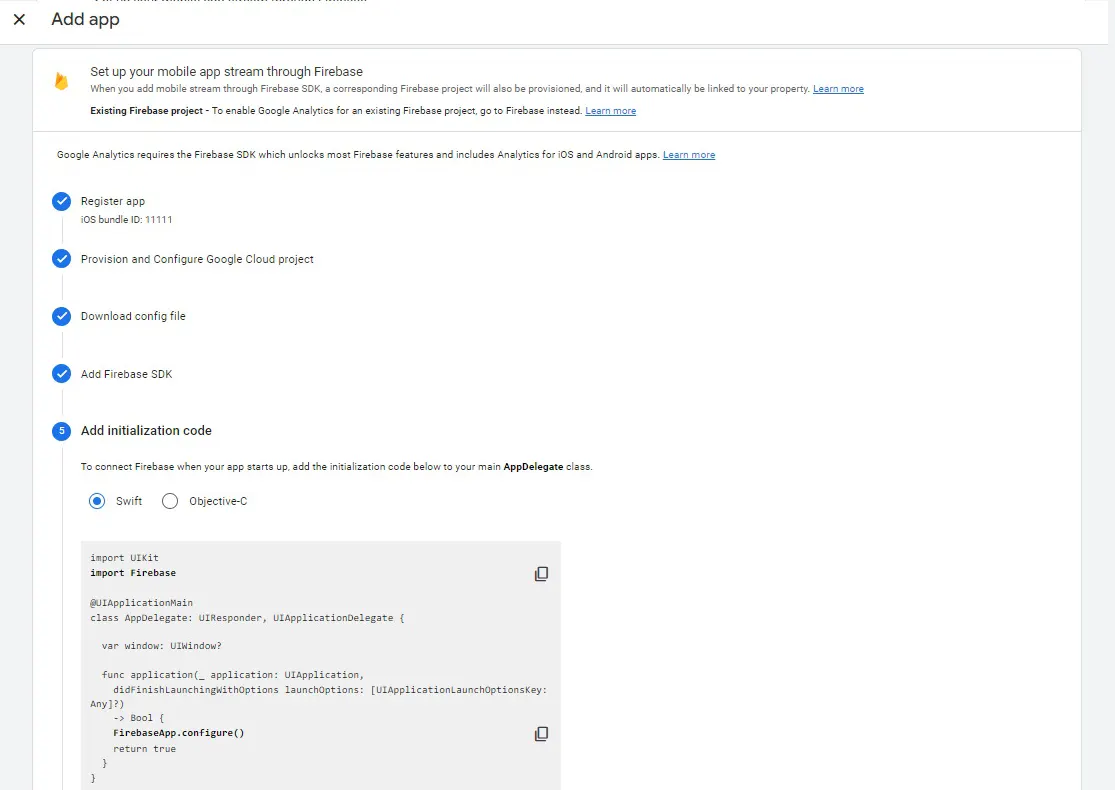
Pass the technical specifications to your developer. If needed, the implementation codes are always available in the specific app stream settings.
Additionally, you’ll need to have skills in working with the Firebase SDK.
Our advice is to keep separate counters for each to analyze the traffic for the website, iOS app, and Android app individually across different resources. This article will be further updated in the future.
 Order a service