



If your company operates multiple websites and advertises through Google Shopping, managing multiple Merchant Center accounts might become a hassle. To simplify things, the most efficient solution would be to create a multi-account Merchant Center, which allows you to manage several Merchant Center accounts under a single email.
A multi-account Merchant Center functions similarly to a Google Ads MCC (My Client Center), enabling you to control multiple Merchant Center accounts from one central place using the same email address.
How to create a multi-account Merchant Center?
Setting up a multi-account Merchant Center is straightforward and involves just two steps.
➊ Go to your Merchant Center account settings and navigate to “advanced account setup”.
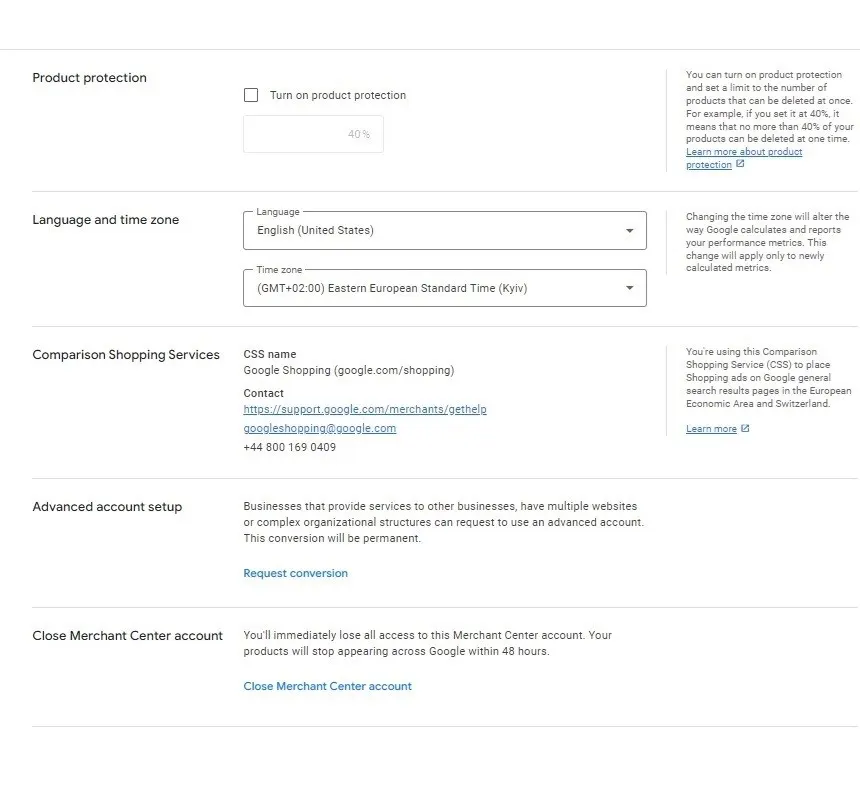
➋ Submit a “request conversion” for the multi-account setup.
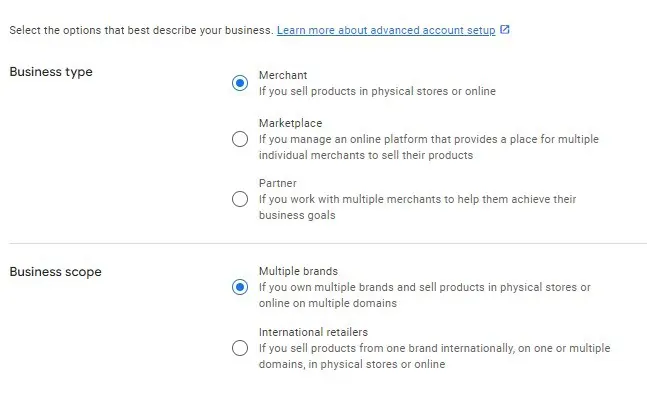
Sometimes, your request might not get approved the first time. If your request is denied, try submitting again with some modifications to the application parameters.
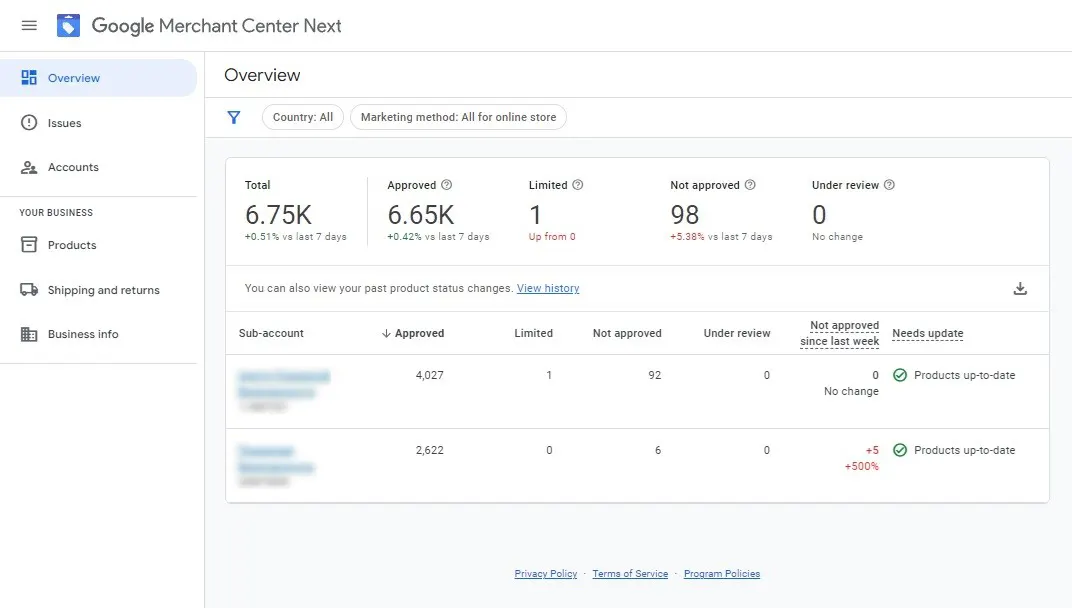
Once your multi-account is approved, you’ll be able to effortlessly create and manage multiple Merchant Center accounts using the same email. The multi-account dashboard will look like this:
We hope this guide has been helpful to you. See you next time!
 Order a service