


Every company eventually finds itself needing to appear on Google Maps, which has become a must-have for businesses today. The process is simple, yet can be challenging, and involves several steps:
- Adding your business information to Google My Business;
- Verification;
- Listing on Google Maps;
- Updating information.
Why is it both simple and hard?
It’s easy if your business has an official office, store, or a straightforward mailing address. But it gets more complicated for online stores or businesses with 50+ branches, where receiving mail isn’t an option. Let’s walk through the process of adding a business to Google My Business and Google Maps.
➊ Adding your business information to Google My Business
We add full information about the company to the service using the Google My Business link.
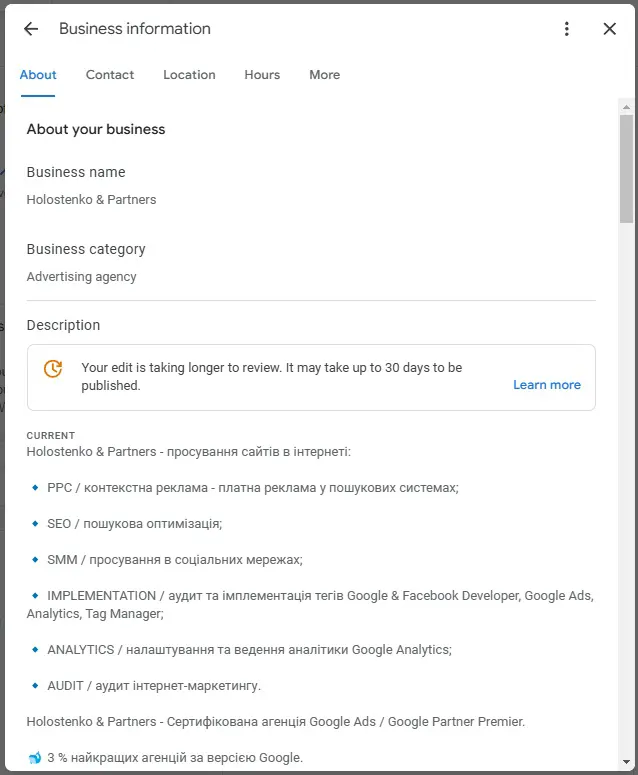
Tips:
👉 Fill out as much information as possible, from the business name to working hours.
👉 Choose your category carefully—it will directly affect search results for related queries.
👉 Add photos and a logo to make your business more recognizable and memorable.
Once your business information is added, Google will prompt you to verify your company, which looks like this:
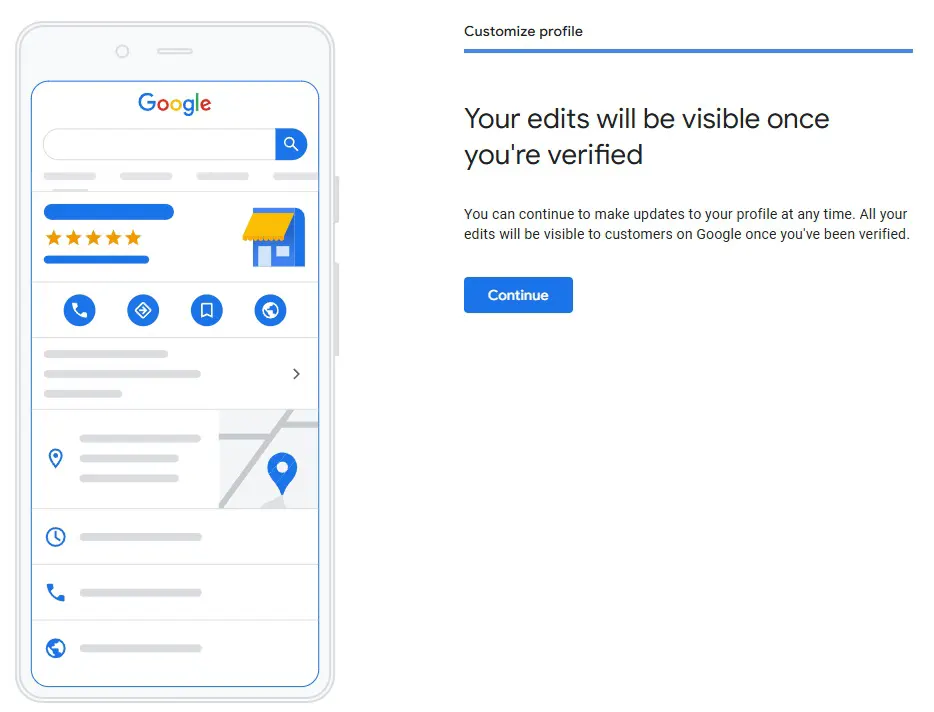
Click continue (or verify) and follow the instructions. Sometimes the location is approved automatically, and sometimes they send a letter by mail or SMS by phone, after which the location becomes active.
➋ Google My Business verification
It’s worth diving deeper into verification, as there are many different ways to verify your business, and Google is constantly updating the rules.
Main verification methods:
- By mail;
- By phone (available for some businesses — Google decides whether this option is available, as with the next two options);
- By email (available for certain businesses);
- Instant verification (for some businesses);
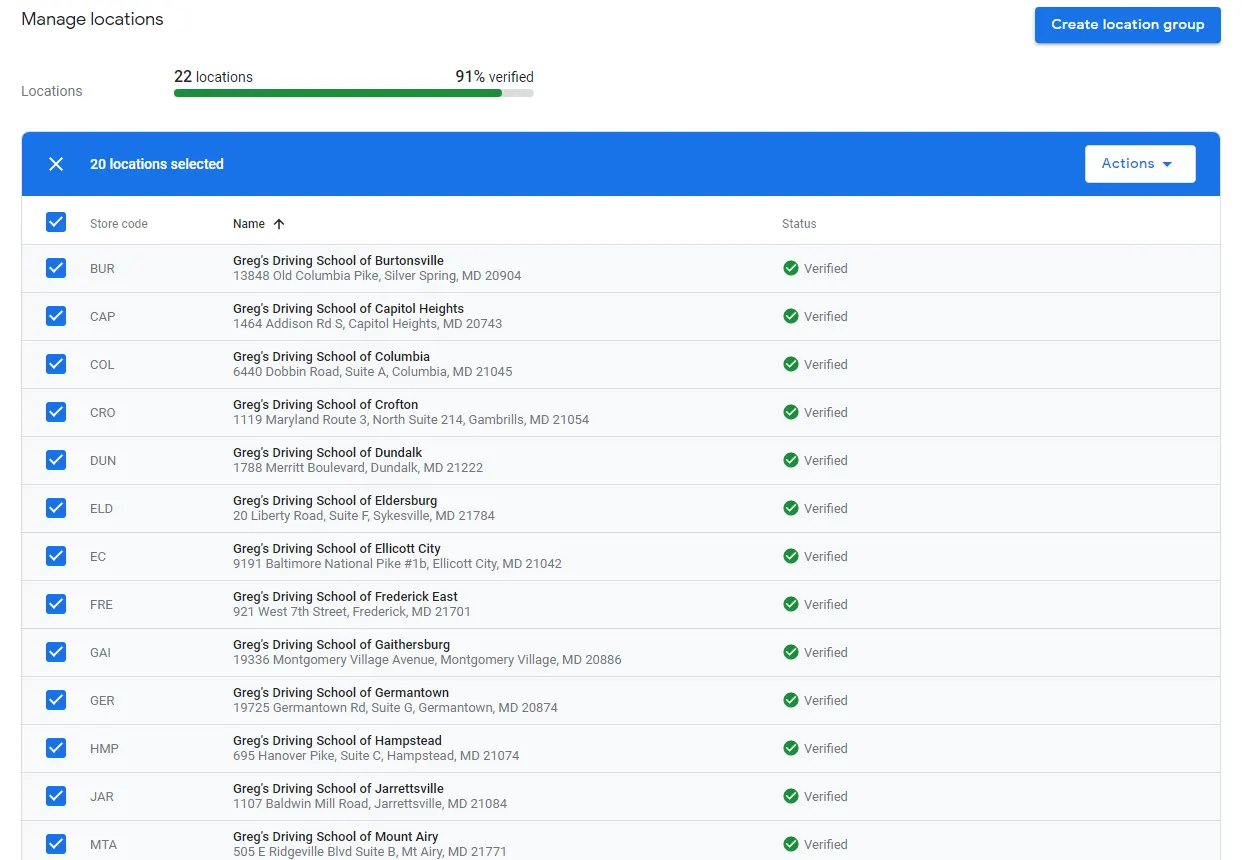
- Bulk verification (only for businesses with 10+ locations).
For companies with more than 10 locations, we’ve handled such verifications and can offer a few tips:
- Provide as much information as possible for each location.
- Each branch should have a unique ID.
- The company's online presence is crucial.
- Every case is unique and often requires a manual approach.
In the end, it looks like this:
➌ Listing on Google Maps
Once your business is verified, the information will appear on Google Maps within 48 hours, though it usually takes a bit longer.
➍ Updating information
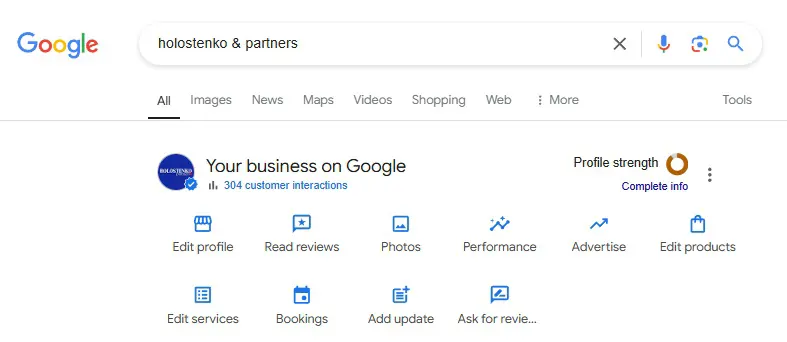
Since Fall 2022, Google has discontinued the app for profile editing on smartphones, leaving editing to be done directly through the Google My Business portal or by updating your business profile directly in Google search results, like this:
We offer services to help multi-location businesses list and manage their profiles in Google My Business. You can contact us directly or leave a request for assistance.
Note: Since February 24, 2022, the creation of new business listings in Google has been paused due to martial law in Ukraine. This restriction remains in effect for the time being.
 Order a service