


If your CMS doesn’t allow you to make algorithmic changes to your feeds for Merchant Center, this article will likely be useful for you. Adding a brand to product titles, strengthening keywords, systematically fixing errors in products, modifying field content—these are all tasks that built-in feed transformation rules in Google Merchant Center can help you with. Let’s explore how it works, as using rules can be very handy when working with Google Shopping.
What are feed transformation rules?
Feed transformation rules are algorithmic tasks for modifying the content of feed fields, applied to specific fields.
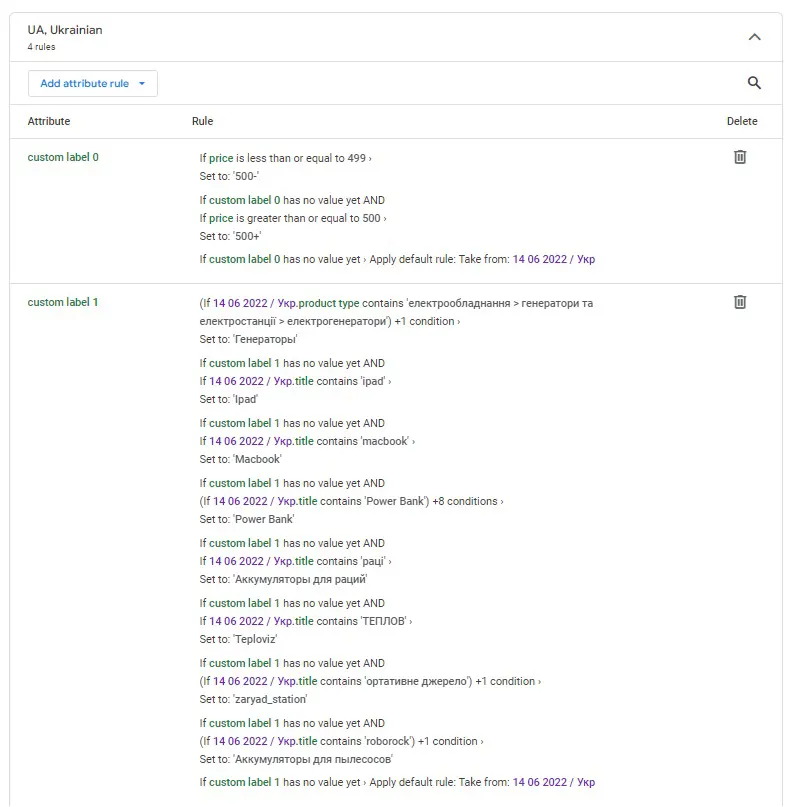
Rules are used when systematic changes are needed in particular fields of the feed. The available operations are quite simple: add, replace, clear, split. The use of these rules depends on your creativity and advertising needs. Each feed has its own set of rules, meaning the rules do not overlap between feeds. Here’s an example of how rules might look:
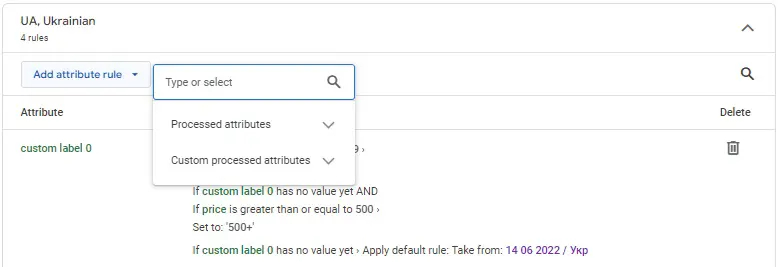
To create a rule, click the "add attribute rule" button, and Merchant Center will prompt you to choose the attribute you want to apply the action to:
Next, select the data source (feed and attribute) you want to work with:
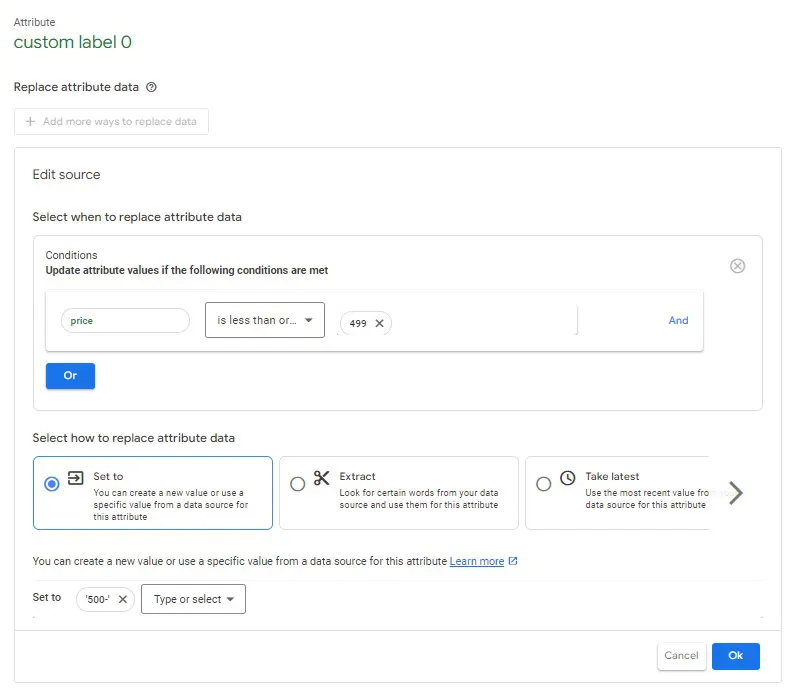
After choosing the source and attribute, the system will guide you to create the rule that needs to be executed:
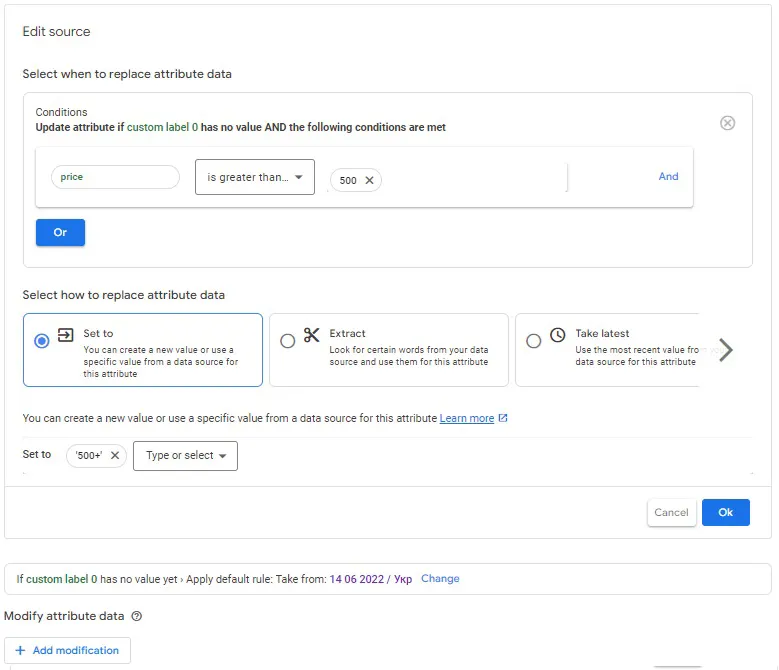
Once the rule is created, the system will immediately show you a preview of how it will apply to the products:

After saving the rule, all that’s left is to apply it and wait about an hour for the changes to take effect across all products. The rest is up to you and your business goals.
* If you do not have the “feed transformation rules” tab, you can enable it in the general settings of Google Merchant Center Next in the “add-ons” tab.
See you again on the pages of our blog.
 Order a service