


Every internet marketer analyzes traffic in Google Analytics, and sooner or later faces the problem of analyzing traffic from Facebook
Facebook divides transitions into 3-4 sources of referral transitions, which significantly complicates making correct analytical conclusions. Surely you have encountered transitions such as:
- lm.facebook.com;
- l.facebook.com;
- m.facebook.com;
- web.facebook.com.
In Google Analytics it might look like this:
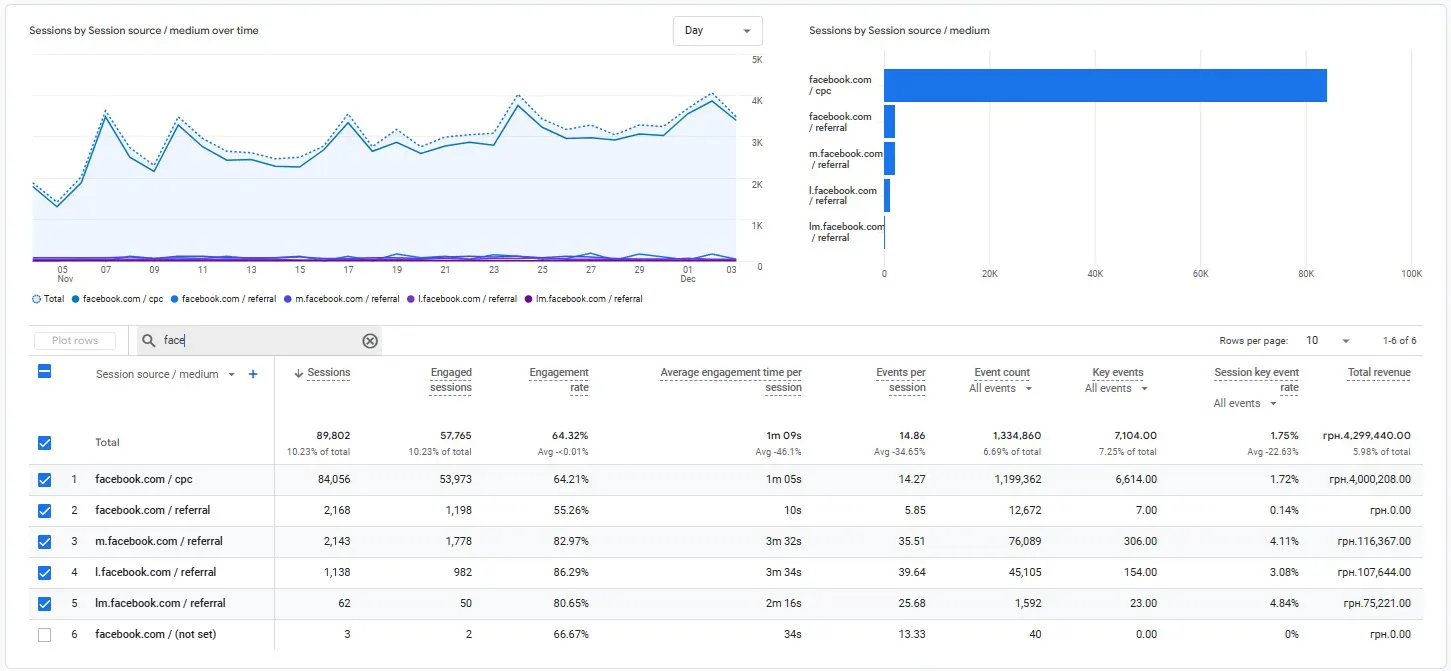
The social network Facebook has an internal security system for scanning external links, which is called Link Shim. It is this system that divides external links into subdomains, according to its internal algorithms.
What does each transition mean?
How to analyze in this case?
How to simplify the analysis process and not make a mistake?
We will answer these questions below.
What each Facebook referral source means:
- m.facebook - transition from mobile devices;
- l.facebook - transition from desktops;
- lm.facebook - combined mobile traffic;
- facebook.com - all transitions, including both mobile and desktop traffic.
That is, each prefix means in most cases the type of mobile device.
But, this is not the main problem of such a traffic division. The main pitfall of such referral transitions is that Google Analytics can take such transitions into account not only as a social network channel, but also as referral transitions. This is clearly visible in the screenshot above. In this case, it will be convenient to create a new traffic channel that takes into account all transitions from FaceBook.
What to do with such a list of transitions and how to simplify data accounting?
Google Analytics developers have included a traffic filtering system in the service functionality, which can not only be managed, but most importantly, what we need can be combined.
It is possible to get one facebook.com from many referral transitions m. lm. l.
Is it worth combining? Definitely yes! Simplicity is always the key to the right analytical solution.
How to combine different Facebook source data?
It is necessary to set special rules for combining sources into one channel.
Let's do it step by step.
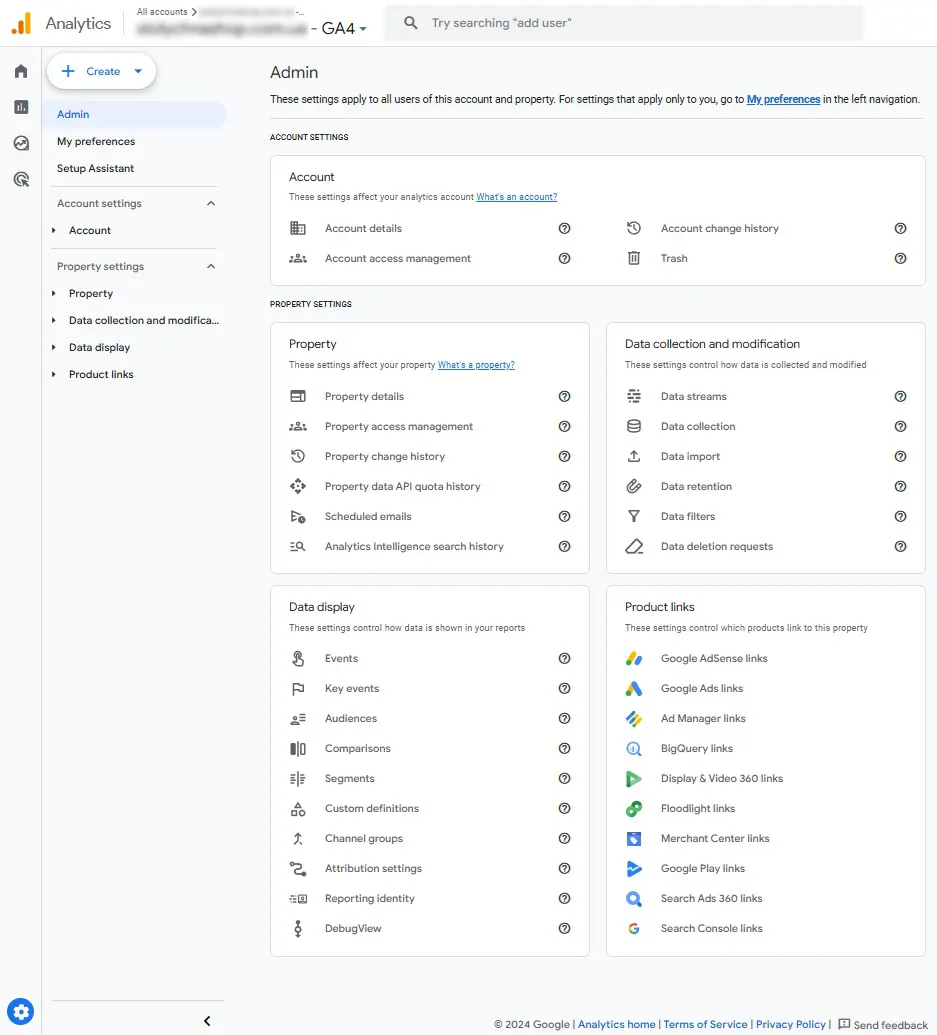
➊ Google Analytics administration:
➋ We go to the counter channel group:
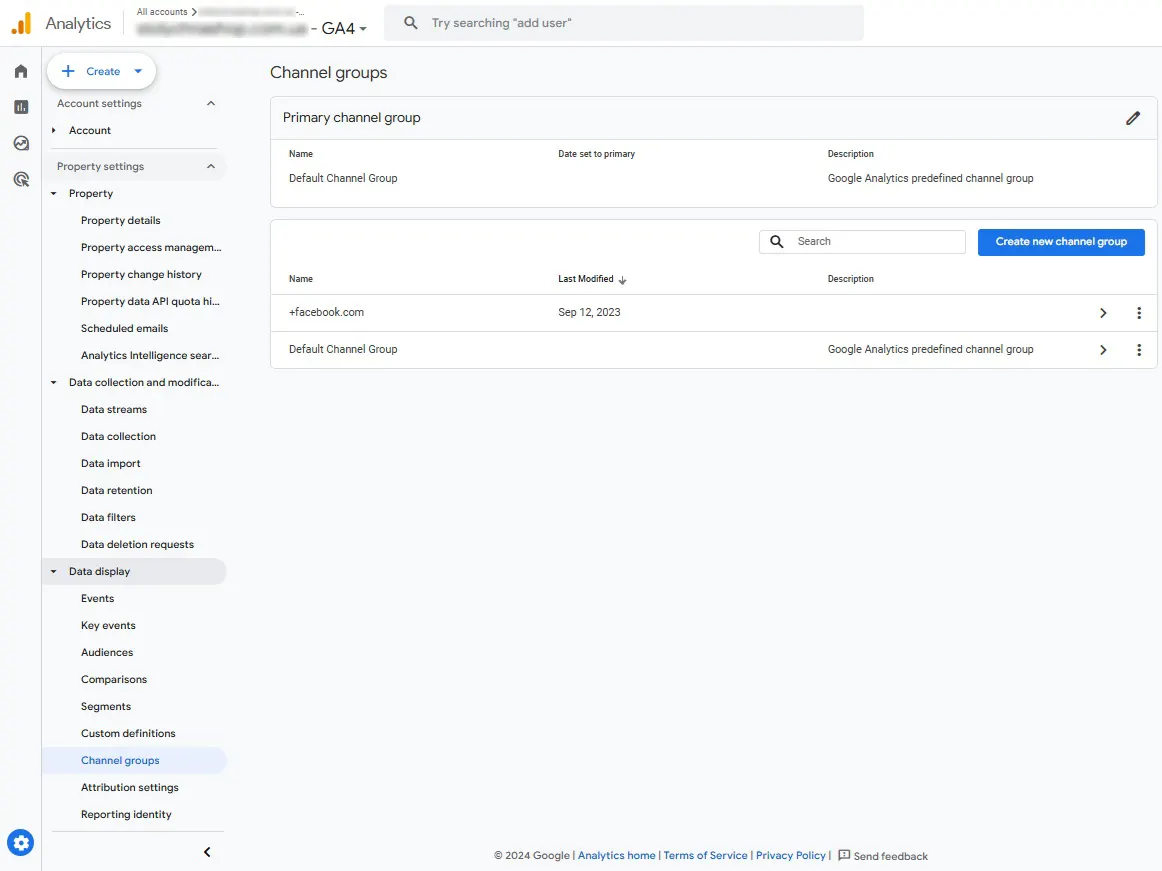
➌ Create a new channel group:
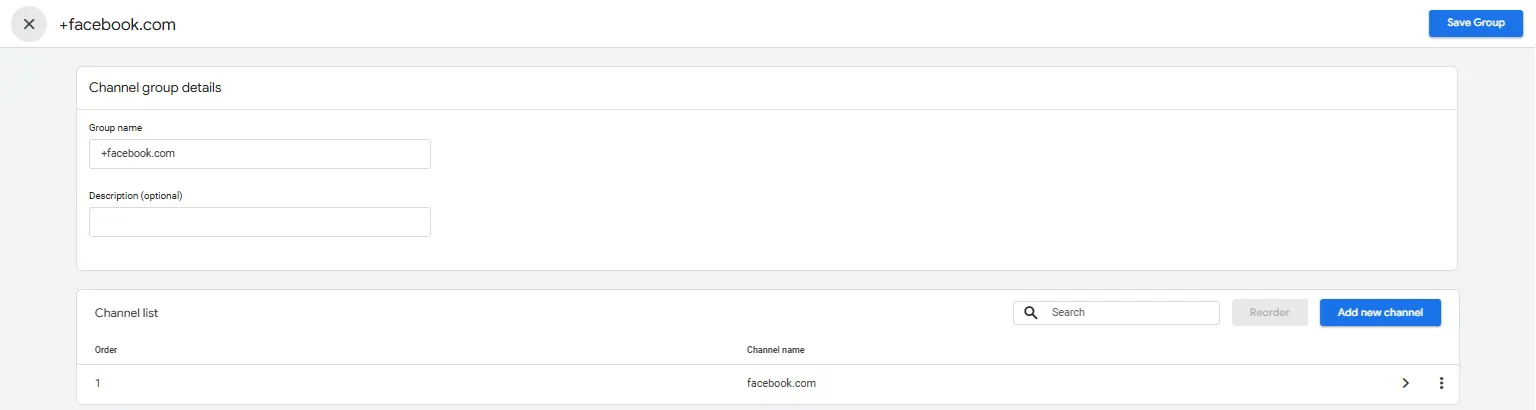
➍ Create a new channel with the following settings:
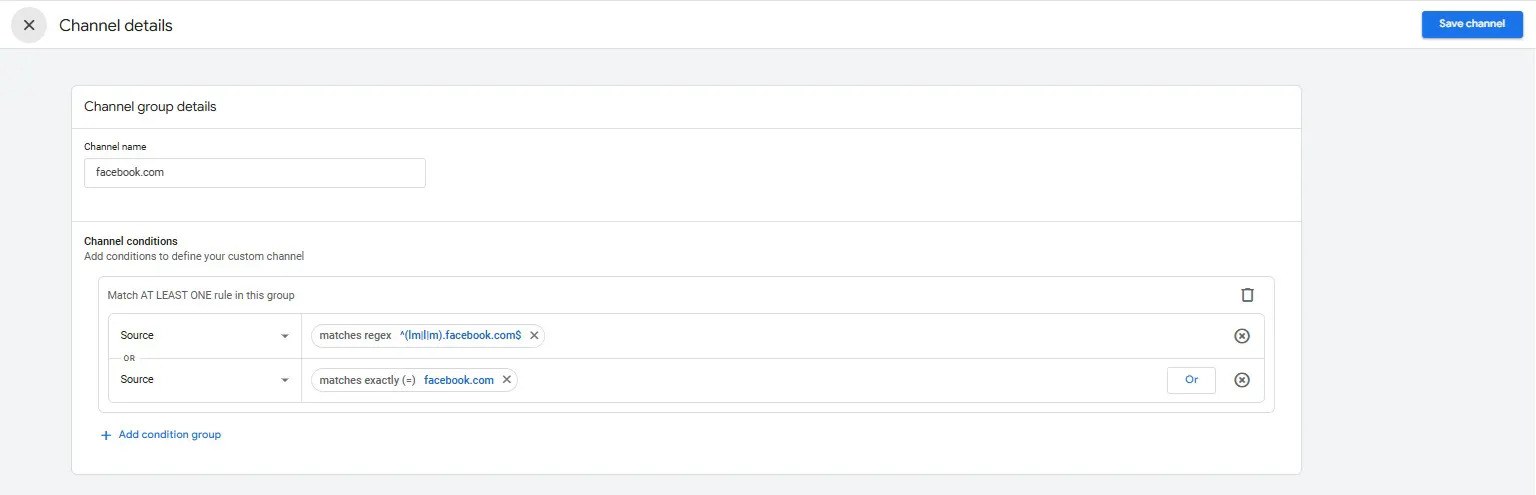
You write a regular expression depending on what final result you want to get.
If you need to glue all subdomains, then write in the filter:
If you need to glue only some subdomains, then write in the filter:
Inside the brackets, write the symbols of the subdomains that need to be glued together.
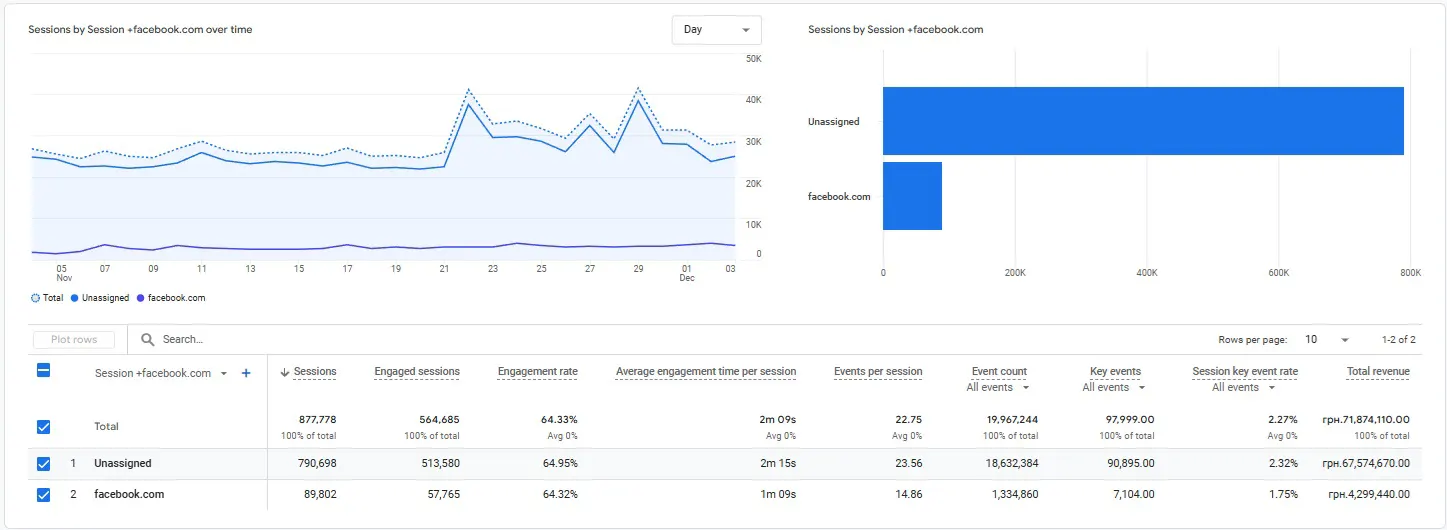
➎ We get the opportunity to view new statistics in the report:
Similarly, you can group other traffic sources.
Good luck and best sales to everyone.
 Order a service