



Just this week, all online stores that have a minimum order amount began receiving notifications about a potential Merchant Center suspension.
There are online stores that sell relatively inexpensive items, and sending those items individually to customers isn’t cost-effective. This is why many online stores set a minimum order amount.
Google Merchant Center starts flagging errors in this case because users are technically unable to buy the specified product alone.
The solution involves specifying the minimum order amount in one of the added shipping methods.
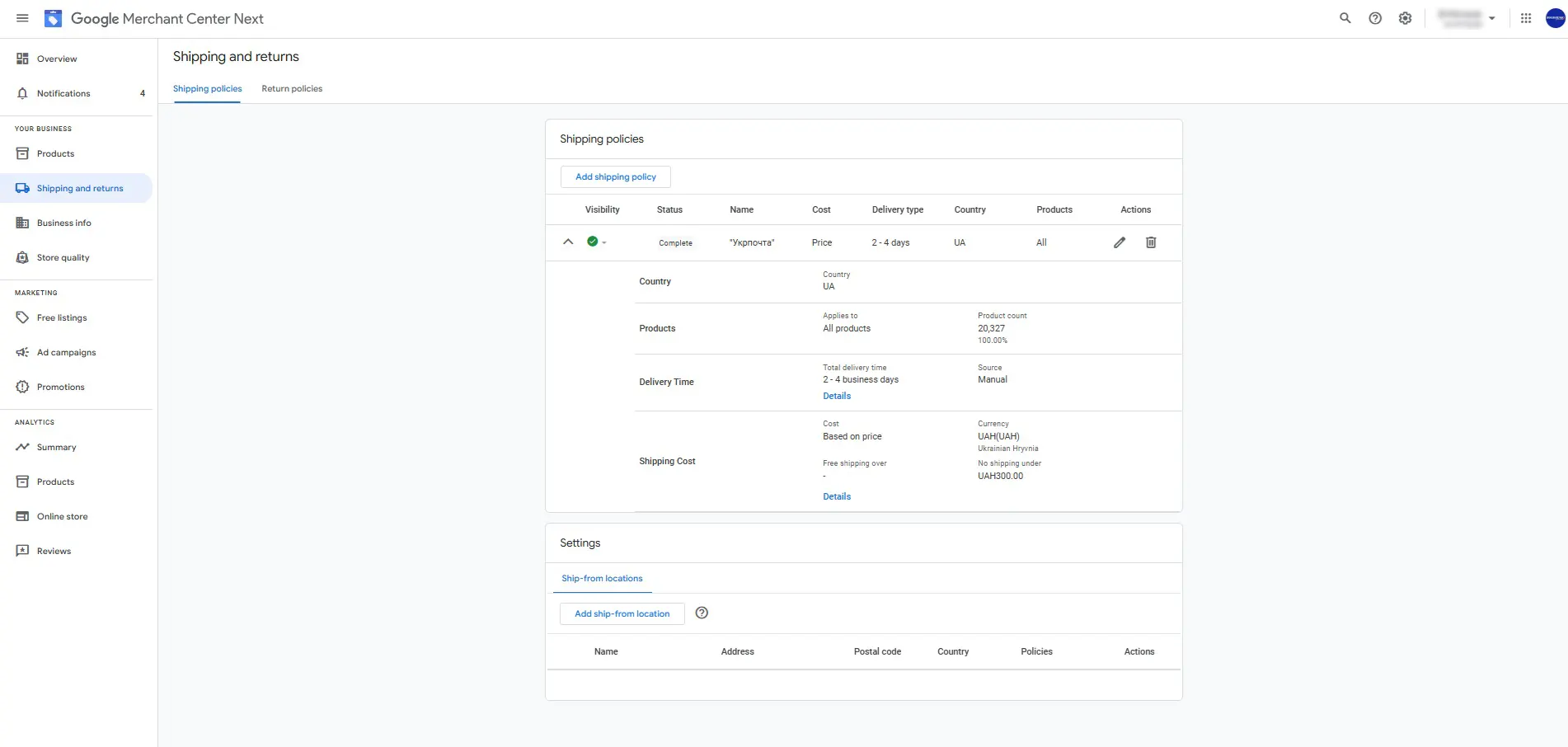
Once this setting is added, product listings for items priced below the minimum order amount will display information about the minimum order requirement.

Delivery information in Google Shopping:
Shipping information can either be entered directly in the account settings or provided systematically in the feed.
➊ In account settings
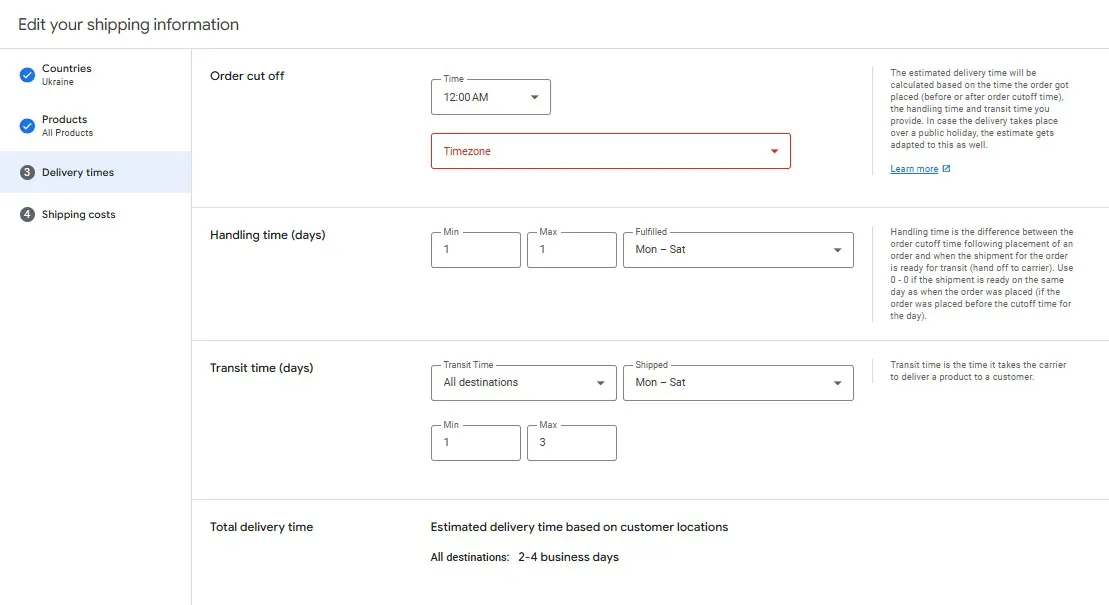
You can configure shipping for products in the account itself.
➋ In the feed
The "shipping" field covers shipping costs, which includes additional fields like country, region, service, and cost. Here’s an example:
  <g:shipping>
   <g:country>US</g:country>
   <g:region>MA</g:region>
   <g:service>Ground delivery</g:service>
   <g:price>6.49 USD</g:price>
</g:shipping>
The "shipping_label" field allows you to group products based on specific shipping rates, depending on the size and dimensions of the items. The shipping_label is pulled into the Merchant Center under shipping methods, where you can set specific shipping rates for these product groups.
As many of you have likely noticed, Google is gradually introducing global advertising standards in Google Shopping marketplaces across Eastern Europe. This also applies to brand and consumer rights protection, image quality monitoring, free product listings on Google platforms, and more.
 Order a service