


If you’re reading this article, you’re likely already aware of the upcoming phase-out of cookies, consent modes, and are considering enhanced conversion tracking in Google Ads as an alternative to advanced conversion tracking. Let's dive into what enhanced conversions are and why they’re becoming essential.
Enhanced Conversion Tracking allows for better tracking by matching personal data from Gmail accounts with the data of website users who complete conversions.
Why is enhanced conversion tracking important?
With the end of cookies and the complexity of managing consent modes, Google developers have introduced an advanced method for tracking conversions, which:
☝ Matches personal data from website users with their Gmail accounts, resulting in more accurate tracking and attribution of conversions.
The personal data is transmitted in a hashed format using SHA256 encryption when a conversion is made on the website.
You may have already encountered something similar when setting up Facebook Api Conversions. In the case of Facebook, we implemented this because iOS 14+ devices allowed users to opt out of event tracking. However, now this challenge is even more global, affecting all Google PPC campaigns.
Benefits of enhanced conversion tracking:
- more accurate attribution (This ensures conversions that might fall into direct traffic are correctly attributed based on your selected models);
- catch missed conversions (For instance, if a user didn’t click directly on an ad but saw it, enhanced tracking helps register the conversion);
- better campaign optimization (Enhanced tracking provides precise performance data, making it easier to manage your ad campaigns).
Setting up enhanced conversion tracking in Google Ads
There are three methods for setting up Enhanced Conversion Tracking:
- GTAG;
- Google Tag Manager;
- Google Ads API.
Since Google Tag Manager is used by more than 90% of websites and is considered one of the most advanced tag management solutions, we’ll focus on how to configure enhanced tracking through Google Tag Manager.
We won’t replicate the generic guides from overseas colleagues. Instead, we’ll show you the exact steps we’ve successfully implemented ourselves.
➊ Enable enhanced conversion tracking in Google Ads
Go to Conversions - settings in your Google Ads account and enable Enhanced Conversion Tracking. Select Google Tag Manager as the method.

We recommend choosing Google Tag Manager because in most cases, we work with DataLayer for better accuracy.
➋ Modify the conversion tag in Google Tag Manager
In your conversion tracking tag, check the box for Include user-provided data from your website.
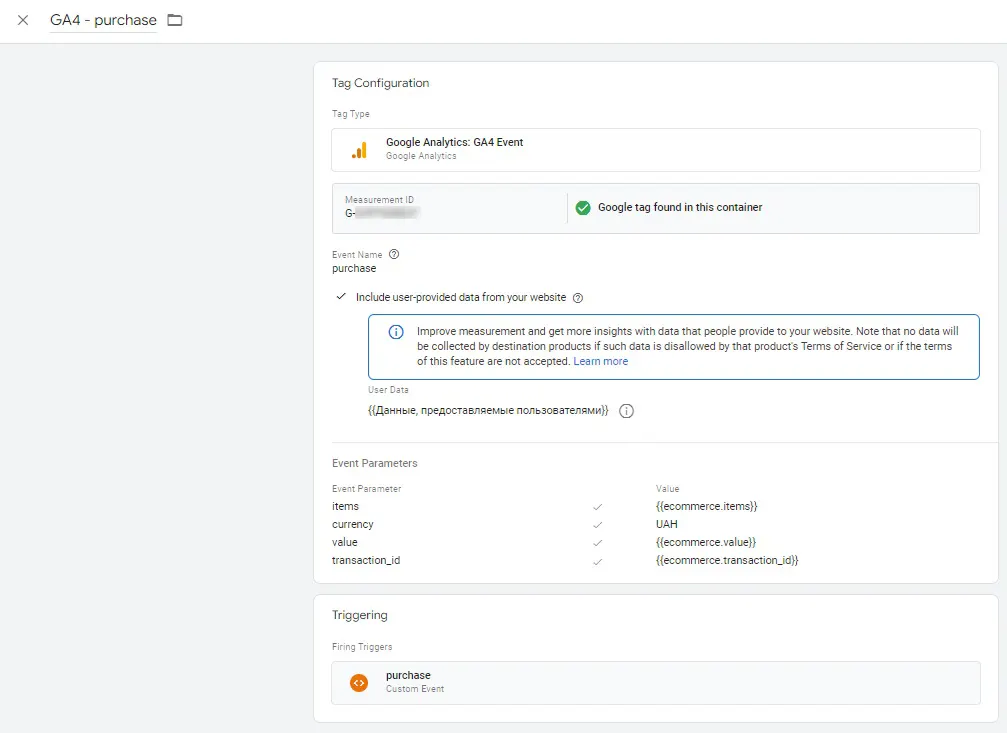
Next, create a new variable to consolidate the user data you’ll be collecting.
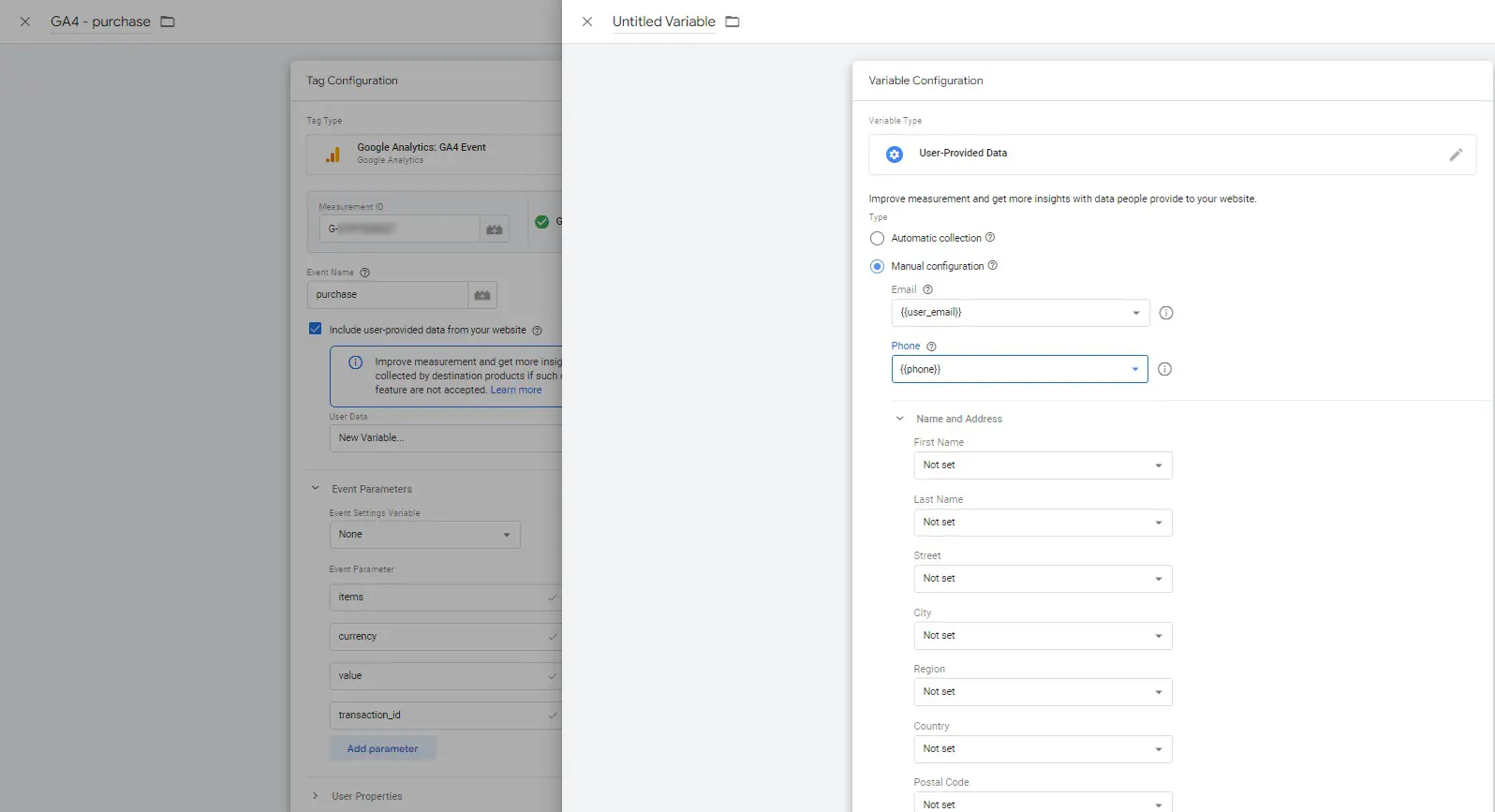
Typically, forms on websites collect information such as name, phone number, and email. Since the Gmail account is the most important factor here, you only need to create fields for email and phone number.
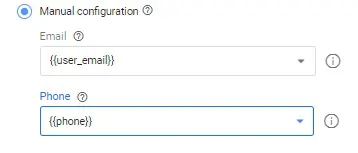
Once that’s done, save the tag. These variables, email and phone, need to be pulled into the DataLayer when a conversion is triggered.
We don’t recommend relying on automated data extraction methods like selectors, as external factors can cause unpredictable results. Let's keep it simple and move on.
➌ Modify the conversion code in DataLayer
In your DataLayer code for conversion tracking, add fields for personalized data, such as email and phone, so it looks like this:
dataLayer.push({
	event: "purchase",
	email: "_________",
	phone: "________ ",
});
These fields are sent alongside the conversion event. That’s essentially all you need to do.
If you're using GTAG (Global Site Tag) for data transmission, the code will look like this:
<script>
gtag('set', 'user_data', {
"email": {{ yourEmailVariable }},
"phone_number": {{ yourPhoneVariable }}
});
</script>
Testing enhanced conversion tracking
There are two key points to consider:
👉 You can verify that data is being sent by using Tag Assistant.

👉 Unfortunately, there's no way to check whether the data is correctly matched to Gmail accounts. Although some colleagues show screenshots claiming proper matching, it’s not the same as the deduplication process used in API Conversions. Here, we don’t yet have that level of transparency.
➍ Enable user-provided data collection consent
In your analytics admin section, go to “data collection” and enable the appropriate consent settings.
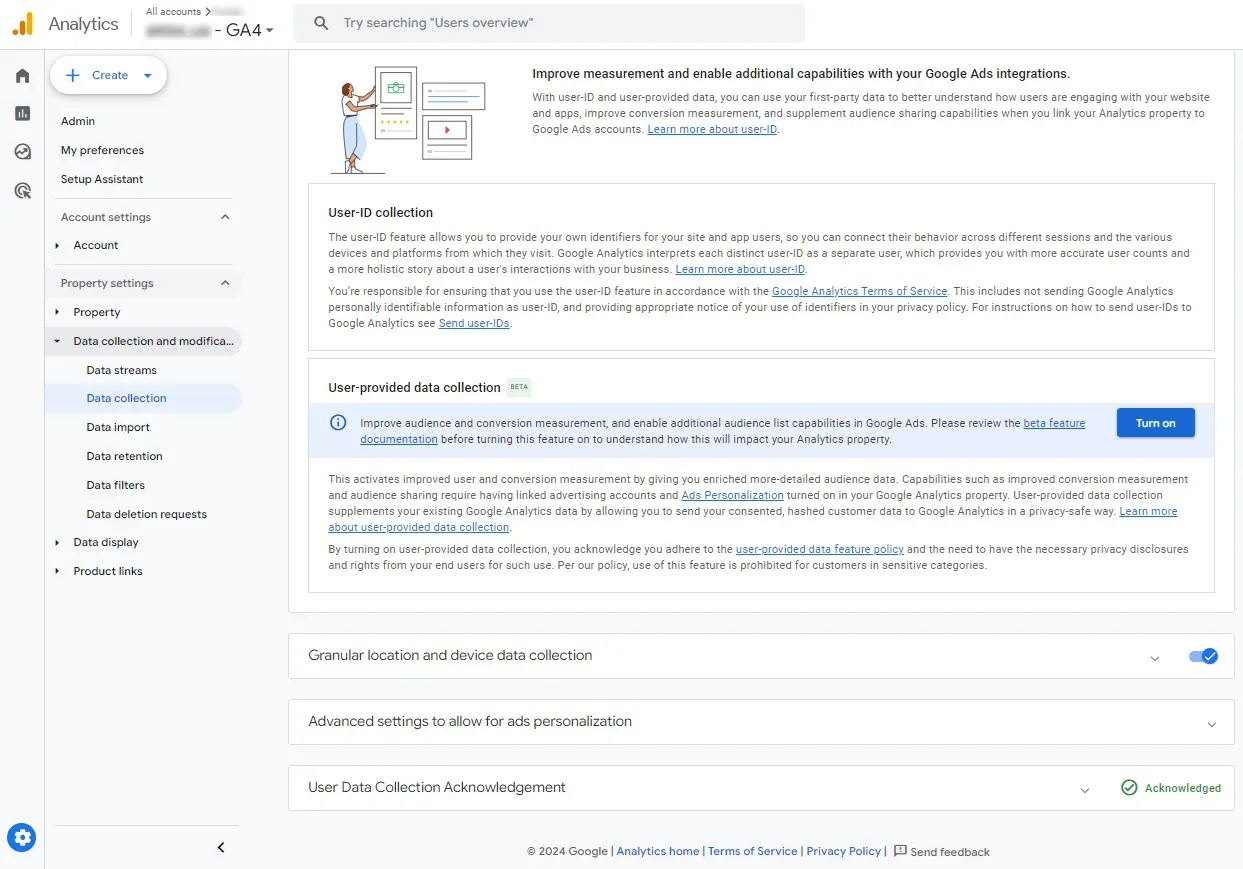
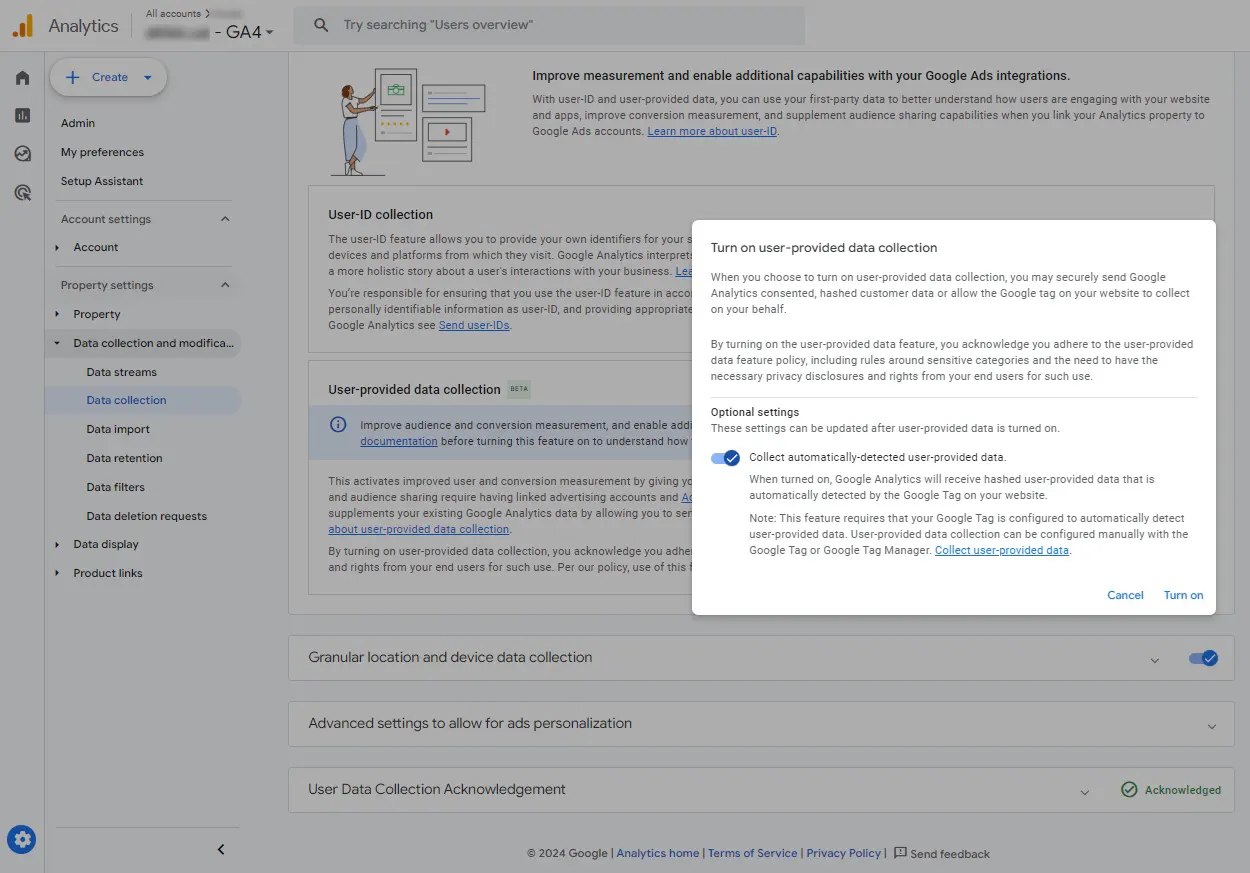
That’s all for now. Although there are still many questions about how these algorithms work, especially with the phase - out of cookies, we have to rely on Google’s guidelines until more details are available.
In practice, advanced conversion tracking via GA4 hasn't proven to be the best option. Advanced conversion tracking configured via Google Tag in your Google Ads account has proven more effective. You can read more about setting up these conversions in our article.
 Order a service